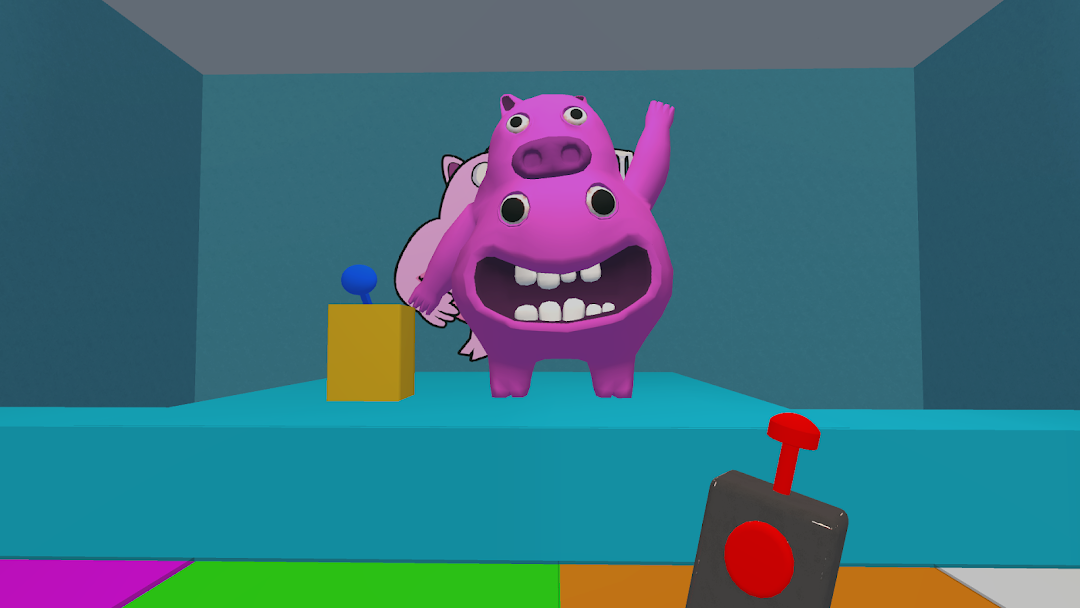
Green Monster Survival 4 Story is a Action game developed by IDLERO, and LDPlayer is the best platform for playing Green Monster Survival 4 Story on PC, offering powerful features to immerse you in the game.
When playing Green Monster Survival 4 Story on computer, you can adjust frame rate settings for smooth gameplay and stunning visuals.
LDPlayer also provides pre-configured keyboard mapping for convenient control of the entire game. Continuous optimization of keyboard mapping enhances key sensitivity and skill accuracy. Additionally, LDPlayer offers special buttons like shoot, hide mouse, and continuous key press for an enhanced gaming experience.
If you prefer using a gamepad, the automatic gamepad detection allows you to customize controls with just a few clicks, enabling you to freely maneuver your hero. Start downloading and playing Green Monster Survival 4 Story on your computer now!
💥Players continue to solve the kindergarten's abandoned secrets as they continue the narrative from parts 2 and 3. You are compelled to go more into the complex hidden basement structure. Discover the truth about the monster school while battling for survival with the intriguing locals.💥.With the introduction of numerous new identities in this fourth installment, the players have a vast underground realm to explore:
😈Sheriff Toadster, a pivotal character in the story, guides you inside each underground bunker.
😈Ziphiuss, Tamataki & Chamataki, as well as a strange newcomer known only as The Jester, are the lurking creatures the player must battle. Each of them will play a significant role in the developing plot.
😈The key to cracking the code is The Baby's appearance, the main character's sidekick.
Only in version4
✔️Jester, enormous monsters, and new locales are the obstacles in your path. Your objective is to locate the haunted room's exit while avoiding the surrounding traps.
✔️Utilize your cunning, resourcefulness, and problem-solving skills to swiftly read encrypted communications, devise the best plan of action, and navigate your way out of the confusing kindergarten. hidden.
How to Play
🕹️ Easy to control: swipe to move, tap to jump over obstacles.
🕹️ Collect hidden messages and decode them: search for items, escape from traps, open doors.
🕹️Avoid poison ponds and countless other dangerous traps.
🕹️ Improve your skills, overcome challenges and unlock more levels.
💥💥💥 Join now on the journey to resolve the haunted school and escape the bizarre world of Green Monster Survival 4 Story💥💥💥