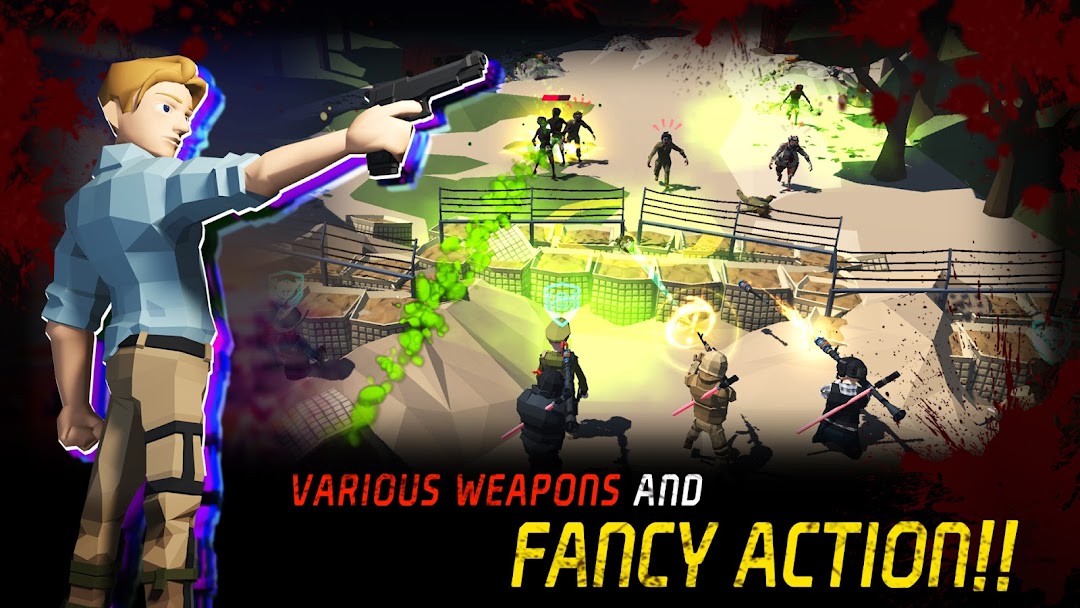
Ground Zero is a Adventure application developed by Studio Ampersand, but with the best Android emulator-LDPlayer, you can download and play Ground Zero on your computer.
Running Ground Zero on your computer allows you to browse clearly on a large screen, and controlling the application with a mouse and keyboard is much faster than using touchscreen, all while never having to worry about device battery issues.
With multi-instance and synchronization features, you can even run multiple applications and accounts on your PC.
And file sharing makes sharing images, videos, and files incredibly easy.
Download Ground Zero and run it on your PC. Enjoy the large screen and high-definition quality on your PC!
The infamous group known as 'Contami' sparked a catastrophic nuclear war due to their insatiable greed. The resulting devastation has turned humanity into a horde of zombies, contaminated by the chemicals of nuclear bombs. The Contamies have harnessed the power of these zombies to conquer the apocalyptic world. However, a small group of survivors have formed alliances to fight back against the Contamies.🔻 Stylish Combat : Get ready to face the challenge of the apocalypse with our exciting game. Engage in stylish combat to defeat zombies and Contamies, and fight to survive.
🔻 Scavenge : To stay alive in this post-apocalyptic world, you'll need to scavenge for resources and craft necessary items. Gather materials and create weapons, tools, and other essential gear to help you survive.
🔻 Craft Items : With our crafting system, you can make weapons, cars and armor to grow your team of survivors and improve your chances of success.
🔻 Shelter Extension : Extend your shelter and upgrade essential buildings to improve your chances of survival.
🔸Fight to survive against hordes of swarming zombies!
🔸Collect materials and craft essential items to improve your chances of staying alive.
🔸 Enjoy an exciting story and explore various maps as you progress through the game.
🔸 Immerse yourself in the gameplay with simple controls that make it easy to jump right in.
__________________________________________
Social media : https://discord.com/invite/fbSMey3SDn
Email : studioampersand.master@gmail.com