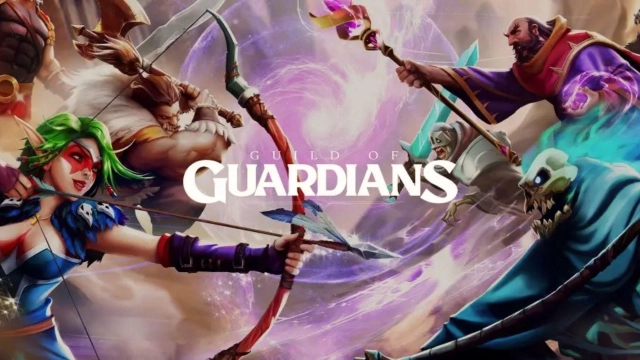
Guild of Guardians is a Role Playing game developed by Guild of Guardians, and LDPlayer is the best platform for playing Guild of Guardians on Windows PC, offering powerful features for an immersive experience.
When playing Guild of Guardians on PC, as a new player looking to start with a fresh account, the multi-instance and sync features are extremely useful for rerolls. You can use them to run multiple instances and begin the synchronization process. Bind your account until you draw the desired heroes.
In addition, operation recorder is great for games that require you to level up and complete tasks! Run the sync and record your actions, then repeat the main instance's actions in real-time. By doing so, you can run 2 or more accounts simultaneously. You can always get the heroes you want before others by faster rerolls and more efficient summoning! Start downloading and playing Guild of Guardians on your computer now!
Lead Your Guild. Summon Guardians. Conquer Dungeons.Guild of Guardians is a fantasy idle RPG that combines strategic gacha gameplay with competitive dungeon crawling. Build your dream squad of legendary Guardians and fight through hordes of enemies in your quest to save Elderym. Every decision, upgrade, and victory matters in a world on the brink of darkness. Will you rise to the challenge and become the hero Elderym needs?
Save Elderym – A Realm in Peril
Once a thriving land, Elderym has been engulfed by the shadow of the Dread. Explore cursed ruins, brave treacherous dungeons, and vanquish the darkness threatening the realm. The fate of this fantasy world is in your hands – only the boldest Guardians can banish the Dread and restore light to the world.
Summon & Collect Your Ultimate Squad
- Unique Guardians: Summon and collect a vast roster of Guardians, from rare, epic and legendary rarities. Each Guardians belongs to a rarity and Domain (element) that can turn the tide of battle.
- Build Synergistic Teams: Guardians come in diverse roles – stalwart Tanks, swift Rangers, mystical Mages, devoted Healers, and more. Balance your squad wisely to unleash powerful team synergies. Plan formations and combos that give you the edge in every fight.
- Upgrade & Ascend: Level up your heroes and ascend them to unlock game-changing abilities. Equip your team with enchanted gear to strengthen their stats and evolve them into unstoppable forces.
Conquer Challenging Dungeons
- Climb the Leaderboards: Test your squad in the Arena and battles against other players. Outsmart opponents with your superior team composition and strategy. Rise through the ranks from rookie to legend, and seize your spot at the top of the global leaderboards.
- Thrilling Events: Participate in special events held regularly. From time-limited dungeon events to themed challenges, there’s always a new way to earn rewards and showcase your skills. Compete for glory and exclusive prizes in seasonal events – will you top the charts?
- Join Guilds – Unite & Conquer: Team up with players around the world by joining a Guild. Coordinate strategies with your guildmates and take on formidable guild bosses. Share tips, trade resources, and help each other grow. Dominate the battlefield as a united guild and reap exclusive guild rewards. In Guild of Guardians, no Guardian fights alone!
Play and Own Your Progress
- True Ownership: Experience the next evolution of mobile RPGs with optional Web3 integration and NFT support. Every hero and item you earn can be yours forever. Own your in-game assets – your Guardians, gear, and skins are unique NFTs stored securely, giving you true control over your collection.
- Play-to-Collect Fun: Even if you’re not familiar with NFTs, Guild of Guardians is fully enjoyable as a deep, free-to-play RPG. Web3 features are smoothly integrated in the background, enhancing the game without complicating it. Dive in and play your way; ownership is an added bonus to an already thrilling adventure.
Support
Encountered any issues? We're here to help; Your adventure is our priority!
Contact us at our email: support@guildofguardians.com
Join the Community
Facebook: https://www.facebook.com/guildofguardians
Instagram: https://www.instagram.com/guildofguardiansofficial
Twitter/X: https://twitter.com/GuildOfGuardian
Discord: https://discord.com/invite/gog
YouTube: https://www.youtube.com/@guildofguardiansofficial
Legals
Privacy Policy: https://www.immutable.com/legal/privacy-policy
Terms of Use: https://www.guildofguardians.com/legals/terms-conditions