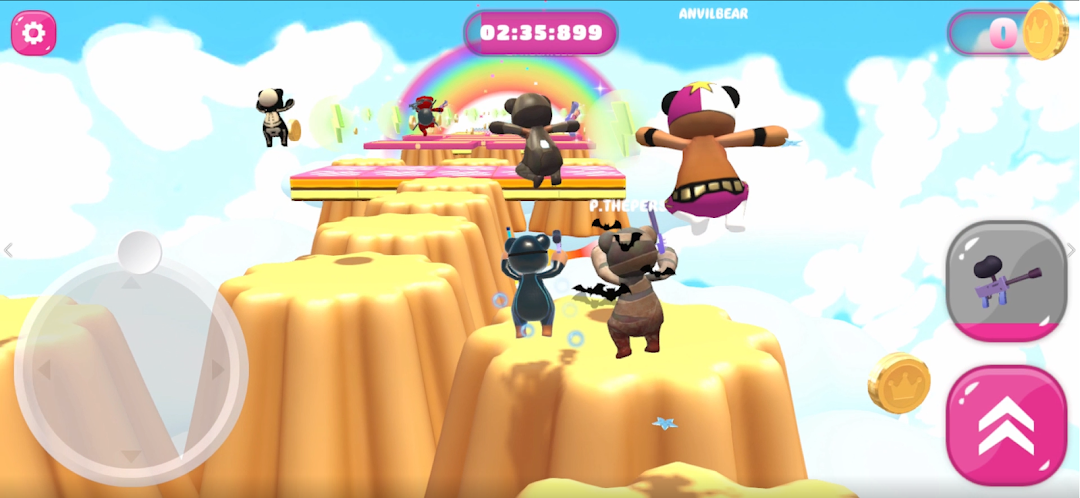
GUMRUN is a Action game developed by FreshFX Games, and LDPlayer is the best platform for playing GUMRUN on PC, offering powerful features to immerse you in the game.
When playing GUMRUN on computer, you can adjust frame rate settings for smooth gameplay and stunning visuals.
LDPlayer also provides pre-configured keyboard mapping for convenient control of the entire game. Continuous optimization of keyboard mapping enhances key sensitivity and skill accuracy. Additionally, LDPlayer offers special buttons like shoot, hide mouse, and continuous key press for an enhanced gaming experience.
If you prefer using a gamepad, the automatic gamepad detection allows you to customize controls with just a few clicks, enabling you to freely maneuver your hero. Start downloading and playing GUMRUN on your computer now!
The goal of this jump 'n' run multiplayer game is to use the weapons and items in-game to achieve victory and collect the most coins... of course you could also set yourself the goal to completely demolish your friends or opponents... I am just saying... you could...Play in a public lobby or create your own level combination!
While fighting your way through wild jump 'n' run passages and physics-based levels, you and your bros will have to prove a keen sense for timing.
Want more ways to take down your friends and opponents? You want to claim their coin fortune more easily? And you want it to look fun at the same time? Then treat yourself to the necessary equipment in the store and hit your opponent on the head with a frying pan, preferably while wearing one of the fresh Bear outfits!
Features:
Run, Jump, Double jump, Attack
A wide selection of different weapons, yes there is even a banana!
Mega selection of cool skins
Footsteps
Many colorful and crazy levels
Flex with your skins, coins, and skills
And most importantly, hit your enemies when it hurts them the most!
Download GUMRUN now and become one of the best players in the world!