Guncho is a Strategy game developed by Arnold Rauers, and LDPlayer is the best platform for playing Guncho on Windows PC, offering powerful features for an immersive experience.
When playing Guncho on your computer, you can enjoy long game sessions using the operation recording feature to record repetitive operations to complete the same tasks automatically. It allows you to level up faster and makes resource grinding much more efficient.
In addition, if you want to execute combo moves or the game requires repeated skill actions, the macro feature is your best helper. It enables you to complete kills with just one click!
If you want to manage multiple accounts, LDMultiplayer and Synchronizer will assist you. You can run multiple alternative accounts at the same time to assist the leveling of your main account. Download and play Guncho on PC with LDPlayer now!
Guncho is a single player turn based tactical wild west shooter-roguelike. Engage in a unique positional shooting mechanic and fight your way through a series of randomly generated levels. Ride your donkey and use a variety of skills and bullet upgrades to become the ultimate gun slinger.About this game
In this single-player tactical Wild West shooter-roguelike, you play as Guncho against a variety of bandits and outlaws. In a series of randomly generated levels, you use your trusty revolver to fight your way through each encounter. At the end of every run, you will face a final boss which you need to defeat in order to become the ultimate gun slinger.
Gameplay
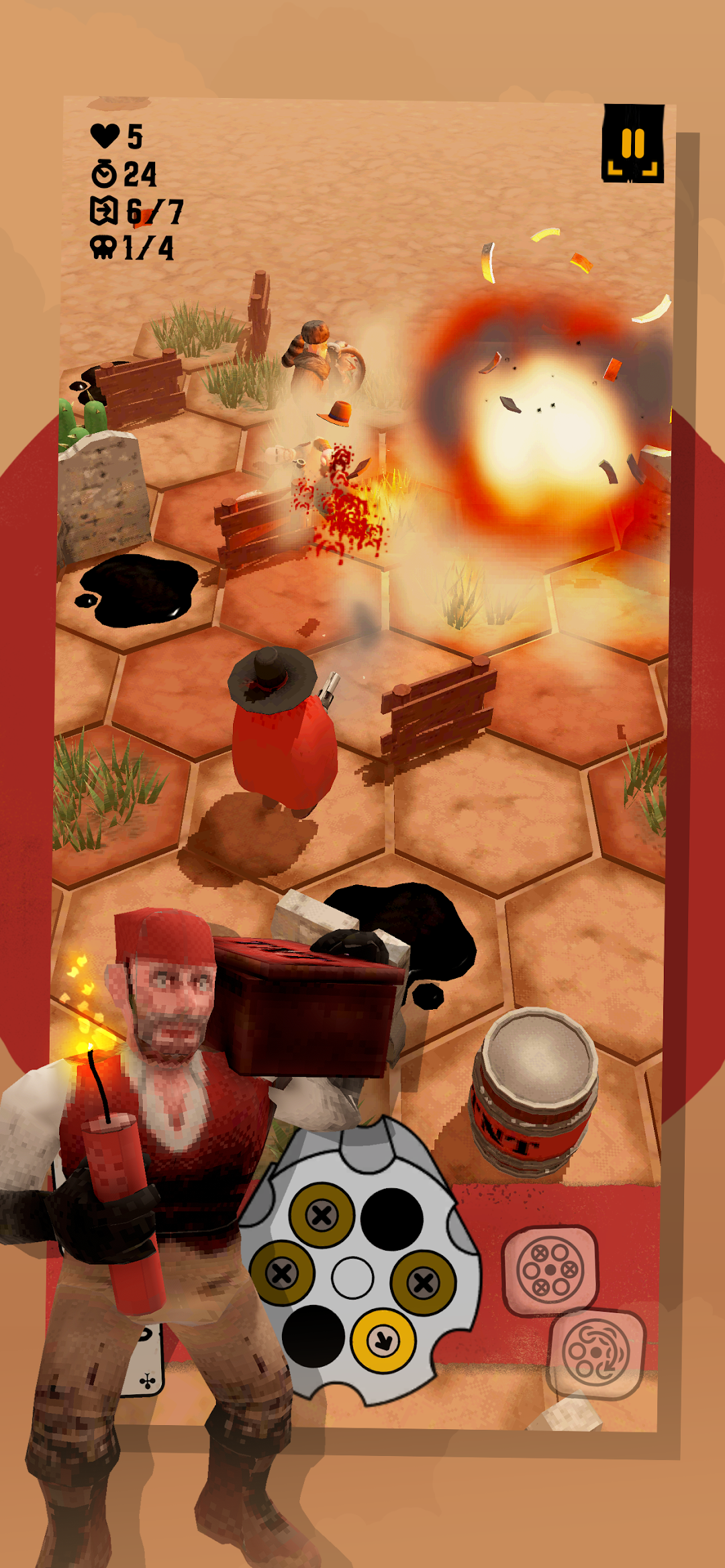
Guncho's gameplay revolves around a unique positional shooting mechanic. By moving, shooting, and unloading bullets, you influence Guncho's revolver rotation. To outwit your enemies, align your bullets through clever tactical moves. You can also use the environment to overcome the challenges of each level, by targeting explosive barrels or pushing your foes into fire or deadly cacti. After each level, choose from a variety of bullet upgrades and skills to further improve your tactical abilities. In each run, you face a final boss that will test your skills and tactical finesse.
Features
- Unique positional shooting mechanic.
- Turn-based Wild West roguelike shootouts.
- Hex-based tactics gameplay.
- Randomly generated levels.
- A variety of enemy types, with different movement and skill sets.
- Easy and Expert game modes.
- Daily game challenge.
- Unlocks and Achievements.
- Cloud saves.