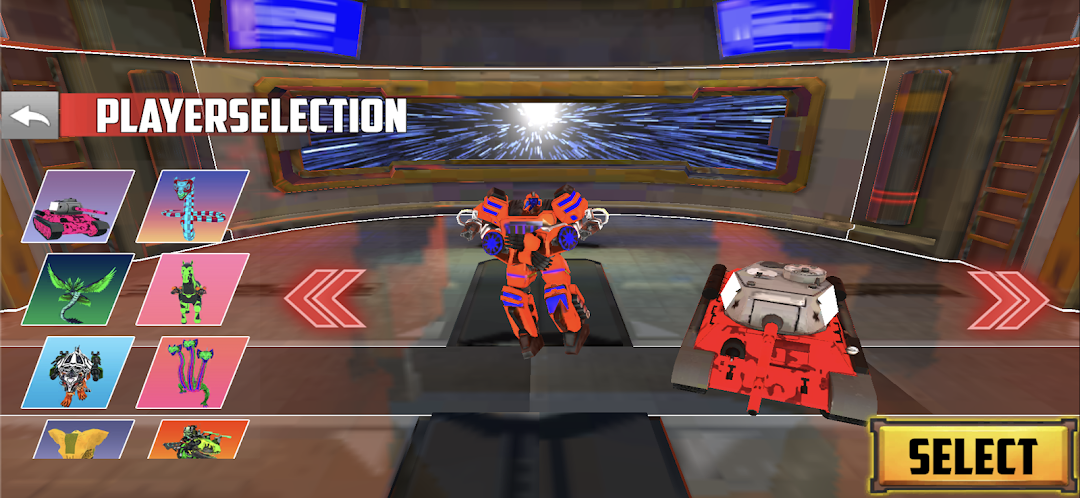
Gundam Hero is a Racing game developed by ta'bbata sharran. LDPlayer is the best platform for playing Gundam Hero on Windows PC, providing robust features to help you achieve an immersive experience in Gundam Hero.
When playing Gundam Hero on your computer, if you prefer using your own gamepad to control the game, LDPlayer's automatic gamepad detection can assist you in customizing controls with just a few simple clicks, allowing you to enjoy more realistic racing scenes and challenges.
With support for high frame rates, the game's diverse track designs and rich terrain and environmental changes become even more lifelike and detailed.
Additionally, the video recording feature makes it easy for you to capture all the exciting and amusing races and game content, making it convenient to share with friends or create videos. Start downloading and playing Gundam Hero on your computer now!
Gundam Hero is an action-packed game that takes the concept of transforming vehicles and combines it with the epic battles of Gundam. In this game, players control a unique set of vehicles that can transform into powerful war machines, bringing a new dimension to combat scenarios.Starting with a sleek, high-speed car, players can transform their vehicle into a towering Gundam-style robot, ready to engage in intense battles. The transformation mechanics are fluid, allowing players to switch from high-speed chases to armored combat seamlessly. The game features a range of vehicles, each with its own transformation capabilities and specialized combat styles.
In "Gundam Engage," players can customize their transforming machines with advanced weapons, powerful armor, and unique abilities to suit their play style. Missions range from high-octane chases through city streets to epic battles in sprawling landscapes, offering a diverse range of gameplay experiences.
The game also features multiplayer modes where players can test their skills against others in fast-paced battles. With its mix of vehicle-based action and giant robot combat, "Gundam Engage" provides an exciting and innovative experience for fans of both genres