
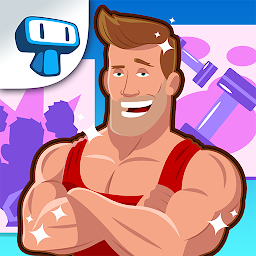


Gym Til' Fit: Fitness Game is a Simulation application developed by Tapps Games, but with the best Android emulator-LDPlayer, you can download and play Gym Til' Fit: Fitness Game on your computer.
Running Gym Til' Fit: Fitness Game on your computer allows you to browse clearly on a large screen, and controlling the application with a mouse and keyboard is much faster than using touchscreen, all while never having to worry about device battery issues.
With multi-instance and synchronization features, you can even run multiple applications and accounts on your PC.
And file sharing makes sharing images, videos, and files incredibly easy.
Download Gym Til' Fit: Fitness Game and run it on your PC. Enjoy the large screen and high-definition quality on your PC!
Fitness is life! Put your best trainers on and start pumping, because there’s little time and so, so much fat to burn and muscles to tone.Dash into the thrilling life of Cassye, a hyperactive fitness club promoter with a mission: pound the universe into shape, one client at a time! Help her achieve this world-changing goal in an action-packed time management adventure that will make you drop more calories than the most cardio-crazy crossfit session!
-EXERCISE your time-management skills to unlock awesome upgrades that will lift your fitness club to legendary status!
-KEEP the hype up and leave no client idle as you help them workout their way to bodybuilding Olympus!
-SPRINT and lift through 60 exciting levels!
-GET all your hard work recognized with daily rewards, and let no client quit!
-SHOW the world your fitness prowess in funny and challenging minigames.
Cassye will throw a fit if she fails on her mission, and you don’t want to see that, trust me. Go help her!
So much to do, so little time! Tackle these other time management challenges, if you dare:
Hospital Dash - http://bit.ly/HospitalDash - It’s a beautiful day to save lives!
Top Beauty Salon - http://bit.ly/TopBeautySalon - True beauty takes time!
Fat to Fit - http://bit.ly/FattoFit - Time to get in shape!
Please note! This game is free to play, but it contains items that can be purchased for real money. Some features and extras mentioned in the description may also have to be purchased for real money.







