
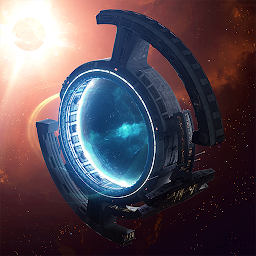


Hades' Star is a Strategy game developed by Parallel Space Inc, and LDPlayer is the best platform for playing Hades' Star on Windows PC, offering powerful features for an immersive experience.
When playing Hades' Star on your computer, you can enjoy long game sessions using the operation recording feature to record repetitive operations to complete the same tasks automatically. It allows you to level up faster and makes resource grinding much more efficient.
In addition, if you want to execute combo moves or the game requires repeated skill actions, the macro feature is your best helper. It enables you to complete kills with just one click!
If you want to manage multiple accounts, LDMultiplayer and Synchronizer will assist you. You can run multiple alternative accounts at the same time to assist the leveling of your main account. Download and play Hades' Star on PC with LDPlayer now!
Leave your mark among millions of players in a persistent galaxy that constantly grows and evolves.Hades’ Star is a unique online space strategy game. You are in control of a growing Empire, starting with a single planet in your own corner of space. Over time, you’ll expand to own multiple outposts, command a formidable fleet, research advanced technology, participate in diverse missions and manage relationships with other players in the game.
FEATURES:
• Colonize numerous planets and watch them grow from lifeless rocks to central hubs of activity.
• Optimize trade routes, mine resources, explore new space and defend against the indigenous, mysterious alien space race
• Build combat, mining and trade ships and customize them with powerful modules
• Establish diplomatic relations with other players and dictate your rules for economic and military cooperation
• Work with other players in dangerous Red Stars and retrieve resources before the star goes Supernova
• Compete for rewards in the intense, rapidly collapsing Blue stars
• Organize with other players in Corporations and participate in highly strategic White Star missions
• Play and grow at your own pace: Nobody will unfairly steal your resources while you are offline
SUPPORT
If you have any problem in the game, please contact us at support@hadesstar.com, or use the in-game "Contact Support" option.
PRIVACY POLICY
http://hadesstar.com/privacy_policy.html
TERMS OF SERVICE
http://hadesstar.com/terms_of_service.html
Hades' Star uses Emoji provided by http://emojione.com







