Home/

Apps/

Entertainment/

Hdhub4u Movies

Hdhub4u Movies
4.0100+

Hdhub4u Movies

Download apkrecommend

Hdhub4u Movies is developed and provided by kkapps2.

kkapps2
How to Download&Play Hdhub4u Movies on PC?
Last Updated: 2025-07-15
com.app.loan
  • Overview

  • FAQ

  • Game Guides

Run Hdhub4u Movies on PC with LDPlayer

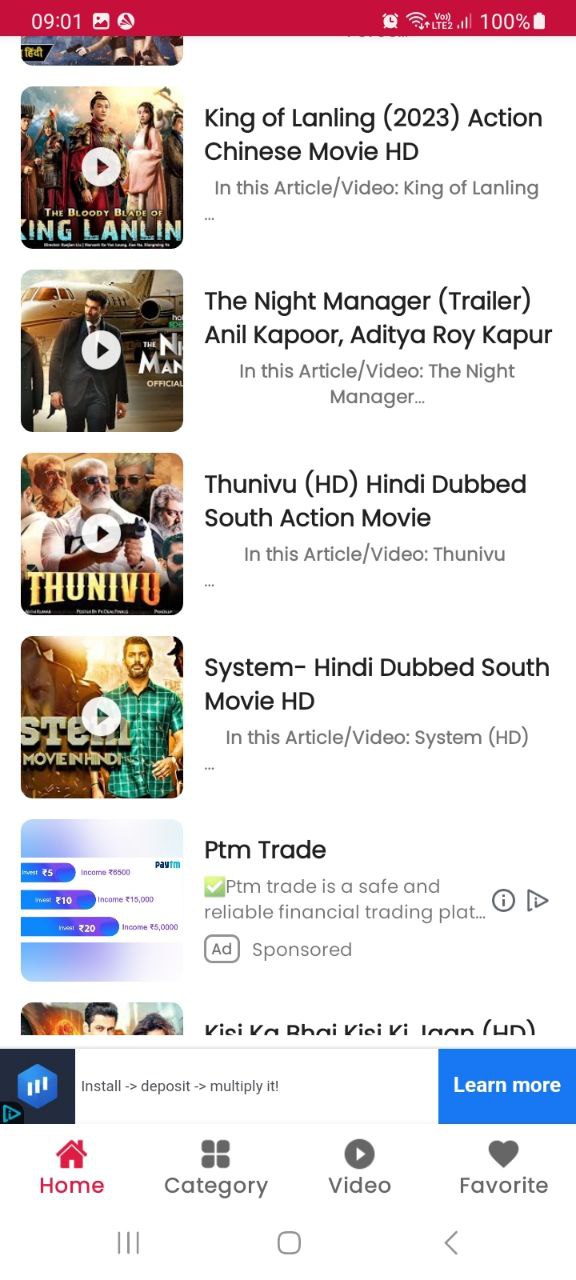
Hdhub4u Movies is your one-stop destination for reviews and information on the latest Hindi Bollywood, South Indian dubbed, Punjabi, Tollywood, and Hollywood movies. With LDPlayer Android Emulator, you can now run Hdhub4u Movies smoothly on your Windows PC, making it easier to browse, read, and enjoy movie content on a larger screen without mobile limitations

Get daily updated reviews for Hindi and English dubbed films, explore trending South Indian movies in Hindi, or catch up on old Punjabi classics. The app is well categorized with romantic content, movie discussions, and curated film collections. Whether you're into action-packed South blockbusters or classic 90s Bollywood hits, Hdhub4u Movies has it all

On PC, LDPlayer enhances your experience with faster loading, a better viewing layout, and smooth scrolling — perfect for long reading or watching clips. No registration needed, and everything is just one click away

Download Hdhub4u Movies on LDPlayer and enjoy a full-featured movie guide and review hub right from your desktop

Open up

Screenshots and Videos of Hdhub4u Movies PC

With LDPlayer, you can download and run Hdhub4u Movies on PC, simultaneously managing multiple apps and multiple accounts. Become a master of time management, balancing work and entertainment effortlessly.

How to Download and Run Hdhub4u Movies on PC

  • 1

    Download and install LDPlayer on your computer

  • 2

    Locate the Play Store in LDPlayer's system apps, launch it, and sign in to your Google account

  • 3

    Enter "Hdhub4u Movies" into the search bar and search for it

  • 4

    Choose and install Hdhub4u Movies from the search results

  • 5

    Once the download and installation are complete, return to the LDPlayer home screen

  • 6

    Click on the game icon on the LDPlayer home screen to start enjoying the exciting game