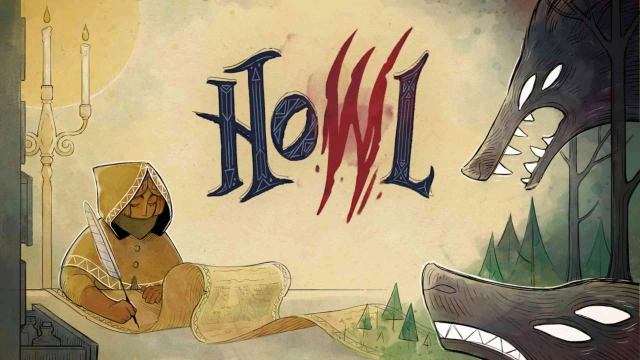
Howl is a Strategy game developed by astragon Entertainment GmbH, and LDPlayer is the best platform for playing Howl on Windows PC, offering powerful features for an immersive experience.
When playing Howl on your computer, you can enjoy long game sessions using the operation recording feature to record repetitive operations to complete the same tasks automatically. It allows you to level up faster and makes resource grinding much more efficient.
In addition, if you want to execute combo moves or the game requires repeated skill actions, the macro feature is your best helper. It enables you to complete kills with just one click!
If you want to manage multiple accounts, LDMultiplayer and Synchronizer will assist you. You can run multiple alternative accounts at the same time to assist the leveling of your main account. Download and play Howl on PC with LDPlayer now!
This game is free to download and play for a limited number of levels and time. Do you like the game? Then you can easily unlock the full version through the in App purchase!Howl is a turn-based puzzle/tactical folktale set in the Middle Ages, where a mysterious "howling plague" ravages the land. Any who hear the beasts’ howls turn into feral, hungering beasts themselves – further spreading the curse through their own howls. The Heroine of this tale was born deaf, giving her a unique protection against this curse.
Play as a daring combat Prophet with the ability to foretell your enemies’ moves. Plan up to six steps ahead to outmaneuver your enemies. Fire a variety of arrows, such as exploding, lightning, or piercing shots, and use skills like Smoke Bombs and Shadow Step’s Invisibility to kill any beasts who stand in your way. Each type of beast offers its own challenges, with some approaching fast, while others taking more powerful hits or attacking from afar.
Howl's visuals are created through "living ink", a flowing art style that paints the story as you play. Carve your way through a dark, fairy-tale world made up of obscure yet magical places where you fight to rid the lands of the howling plague.
Howl features a total of 5 chapters, including the free Heart of Rot update, each with a distinct visual atmosphere scored by soothing music. Access to this update is FREE for anyone who has bought the Howl base game. You can access this update chapter from the Chapter 3 map at any point after reaching Chapter 3 of the main story.
This update features its own chapter map, new enemies, a new boss level, new environment mechanics, the new Lightning Shot skill (which, once unlocked, can be used in the main game!), and an NPC who fights by your side in later levels.
Features
• Foretell the actions of your enemies in turn-based puzzle/tactics combat.
• Play through 60 levels across 4 chapters, plus 18 new levels in the free update chapter!
• Beautifully illustrated in a unique, living ink art style.
• Outsmart the different wolf species, from fast predators to enormous pack leaders.
• Unlock and upgrade new skills like Shadow Step, Exploding Shot, and more.
• Save villagers from the claws – and howls – of the wolves.
• Plot your route on the world map to uncover new skills and secret paths.
Heart of Rot – Free Update Chapter
Embark on this side-story to the Capital, a city that long stood as a bastion of hope in a world overrun by howling beasts. The Prophet has heard rumors that the alchemists there have found a cure for the Howl. When she arrives, she finds a city consumed by rot ...
Access to this update is FREE for anyone who has bought the Howl base game. You can access this update chapter from the Chapter 3 map at any point after reaching Chapter 3 of the main story. Heart of Rot follows its own storyline, and can be completed either before or after the main Howl story.
This update features its own chapter map, new enemies, a new boss level, new environment mechanics, the new Lightning Shot skill (which, once unlocked, can be used in the main game!), and an NPC who fights by your side in later levels.