
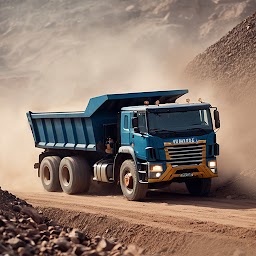


Idle Mining Tycoon: Industry is a Simulation application developed by Valentina Yu, but with the best Android emulator-LDPlayer, you can download and play Idle Mining Tycoon: Industry on your computer.
Running Idle Mining Tycoon: Industry on your computer allows you to browse clearly on a large screen, and controlling the application with a mouse and keyboard is much faster than using touchscreen, all while never having to worry about device battery issues.
With multi-instance and synchronization features, you can even run multiple applications and accounts on your PC.
And file sharing makes sharing images, videos, and files incredibly easy.
Download Idle Mining Tycoon: Industry and run it on your PC. Enjoy the large screen and high-definition quality on your PC!
Automate your mining, dig deep for valuable resources, and build a powerful idle empire in this offline tycoon game!Start your journey with a single mine and a simple setup. Tap to extract resources like stone, ore, coal, wood, and precious metals. Process raw materials, expand your base, and unlock new locations as your business grows from a small operation into a massive resource industry.
Upgrade your mining equipment, hire skilled managers, and invest in advanced automation to boost efficiency. Discover new areas, optimize your logistics, and reinvest your idle income to reach new levels of success.
Even when you're offline, your miners keep working. When you return, collect your profits, expand further, and upgrade your operations for even greater returns.
💼 GAME FEATURES:
🔸 Idle mining gameplay – Tap to dig, process resources, and expand your business.
🔸 Resource variety – Mine stone, wood, coal, iron, gold, and other valuable materials.
🔸 Factory and production – Turn raw materials into refined products to earn more.
🔸 Automation system – Hire managers and upgrade tools to increase efficiency.
🔸 Massive upgrade tree – Improve buildings, mining gear, and processing systems.
🔸 Business expansion – Grow from a local operation to a global mining empire.
🔸 Offline progress – Your workers continue mining and generating income 24/7.
🔸 Strategic planning – Balance production lines, resource flow, and investment.
🔸 Unlock new zones – Explore diverse mining sites, each with unique challenges.
🔸 Satisfying progression – Watch your business evolve and your profits multiply.
Perfect for players who enjoy idle games, mining simulators, factory tycoons, and business strategy — with a focus on resource management, automation, and long-term growth.
This is more than just a tapper. Plan your development path, manage production, and build a mining operation that runs like a well-oiled machine. Every drill, every upgrade, every decision matters.
📦 Extract resources, refine them into valuable goods, and grow your economy step by step. The deeper you go, the more potential you unlock.
🛠 Whether you mine lumber or rare ore, this game delivers a rewarding idle experience with depth, strategy, and scale.
🚀 Download now and start building your ultimate offline resource empire!







