

Jewels Temple is a Puzzle application developed by Springcomes, but with the best Android emulator-LDPlayer, you can download and play Jewels Temple on your computer.
Running Jewels Temple on your computer allows you to browse clearly on a large screen, and controlling the application with a mouse and keyboard is much faster than using touchscreen, all while never having to worry about device battery issues.
With multi-instance and synchronization features, you can even run multiple applications and accounts on your PC.
And file sharing makes sharing images, videos, and files incredibly easy.
Download Jewels Temple and run it on your PC. Enjoy the large screen and high-definition quality on your PC!
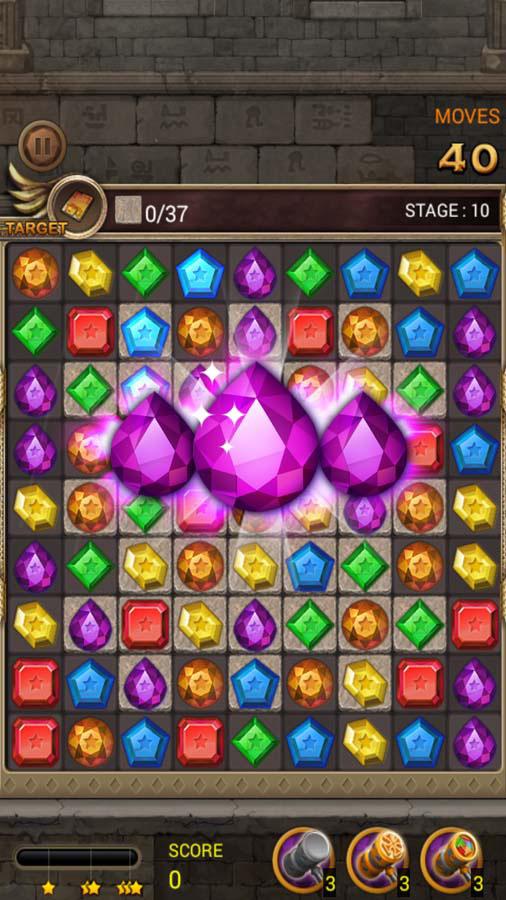
Bejeweled and get ready to explore the ancient temples and earn gold. Beautiful jewels are randomly spread across the floors and the walls. Match the jewels and earn your coins. When you match 3 jewels, you will earn points, boosters and special abilities. See how far you can go by yourself. Test your brain’s ability. If you want a classic match 3 game, you are looking at the right game.The rules are simple - match 3 jewels or more to earn gold coins, but that doesn’t mean it’s easy. Different stages have different formats and restrictions. It is your job to solve the puzzle and move through the stages. There are a total of 1000 stages. Race with your friends and see who solves all the bejeweled games. When you do, we would like to know! Please leave us a review or send an email.
As you complete the missions, you will be introduced to special jewel boosters with special abilities gems. This is a classic bejeweled game with highly addictive game play. You may need outside help to quit Jewels Temple. For your information, we do not provide addiction treatment. See for yourself if this is true!
Earn win-streak bonuses and booster hammers. As the match progresses, you will get special jewel boosters. Colorful jewels are very powerful. Please use it at your discretion - and get pleasantly surprised! You will bedazzled by the magical effects.
Some more things that will bedazzle you:
We support 14 languages.
You can play on an airplane - no internet connection required!
Some of our Booster Hammers are unique.
Some people complete the whole 1000 stages without paying a cent! - it’s a truly free game.
We hate bugs - we are almost 100% bug-free.
We support tablets.
Some users have been playing this game for years now!