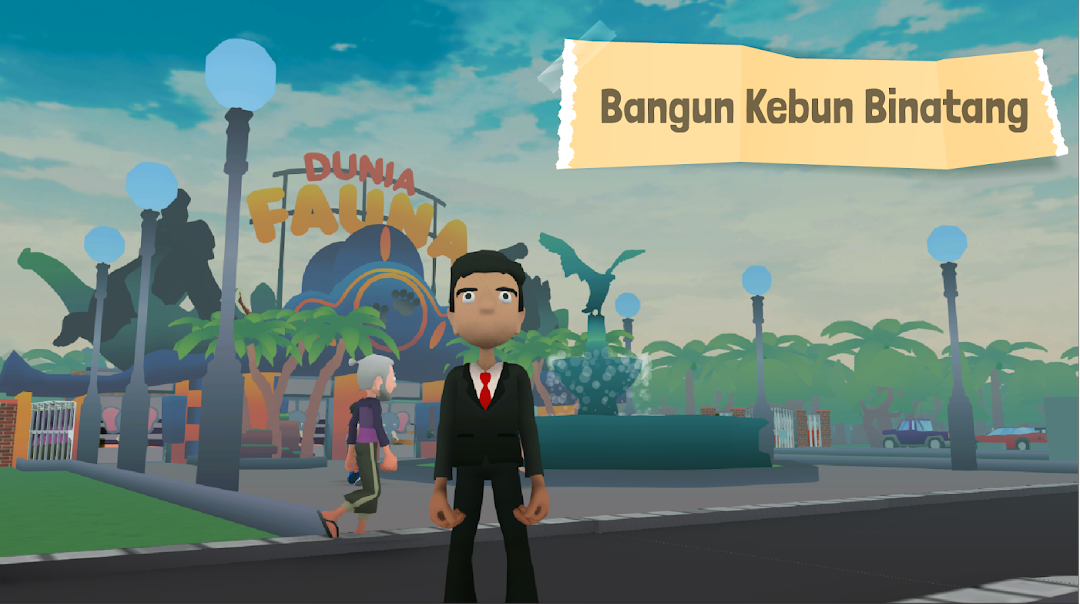
Juragan Fauna is a Simulation application developed by Trimatra Studio, but with the best Android emulator-LDPlayer, you can download and play Juragan Fauna on your computer.
Running Juragan Fauna on your computer allows you to browse clearly on a large screen, and controlling the application with a mouse and keyboard is much faster than using touchscreen, all while never having to worry about device battery issues.
With multi-instance and synchronization features, you can even run multiple applications and accounts on your PC.
And file sharing makes sharing images, videos, and files incredibly easy.
Download Juragan Fauna and run it on your PC. Enjoy the large screen and high-definition quality on your PC!
🎮 Ready to become a zoo owner?? Come on, experience the "JURAGAN FAUNA" zoo management simulation. You will be a real tycoon who owns a cool zoo, complete with exotic animals and all kinds of fun.🏞️ Starting from scratch, you will lead your zoo business. you borrowed 20 billion rupiah from moneylenders, and that means you have to invest smartly so you can pay off debt. Buy a large area of land and choose cute animals that are protected legally, and everything will be according to government regulations!
💰 Not only animals, at 'JURAGAN FAUNA' you can also buy and sell goods with cool buildings. There is a grocery store to buy meat, vegetables and fruits for animals. Electronics shop to buy arcade machines, gocarts etc. A one stop shop to buy daily decorations and equipment. Government buildings are very important for land expansion, and don't forget to stop by the Minister of Forestry Building to add to your animal collection!
👨💼 Make your business run smoothly, you can also hire workers. Cleaning service so that your zoo is kept clean, security, counter keepers, and animal caretakers make your beloved animals feel comfortable. Are you sure your business won't fall apart? That means you are ready to become a true JOURNEY!
🛒 Outside the zoo, unique sellers are ready to accompany your day. Try the savory meatballs, fresh cendol ice, typical ketoprak, and grilled sausages that are even more delicious with their secret spices. Want to entertain yourself? Exciting toys and colorful balloons are ready to accompany you. Ice cream that always makes your heart float, plus pop noodle hits are also available!
🌟 Can you become the owner of the coolest and most successful zoo? There are challenges waiting, strategies to be followed, and quests to be completed! Download 'JURAGAN FAUNA' right now and start an exciting zoo business adventure. Be the boss, earn money, achieve achievements and show everyone who is the most powerful in this zoo! 🌍🦁🐯🐻