Kaz Who? is a Board application developed by Godly Kaz Company, but with the best Android emulator-LDPlayer, you can download and play Kaz Who? on your computer.
Running Kaz Who? on your computer allows you to browse clearly on a large screen, and controlling the application with a mouse and keyboard is much faster than using touchscreen, all while never having to worry about device battery issues.
With multi-instance and synchronization features, you can even run multiple applications and accounts on your PC.
And file sharing makes sharing images, videos, and files incredibly easy.
Download Kaz Who? and run it on your PC. Enjoy the large screen and high-definition quality on your PC!
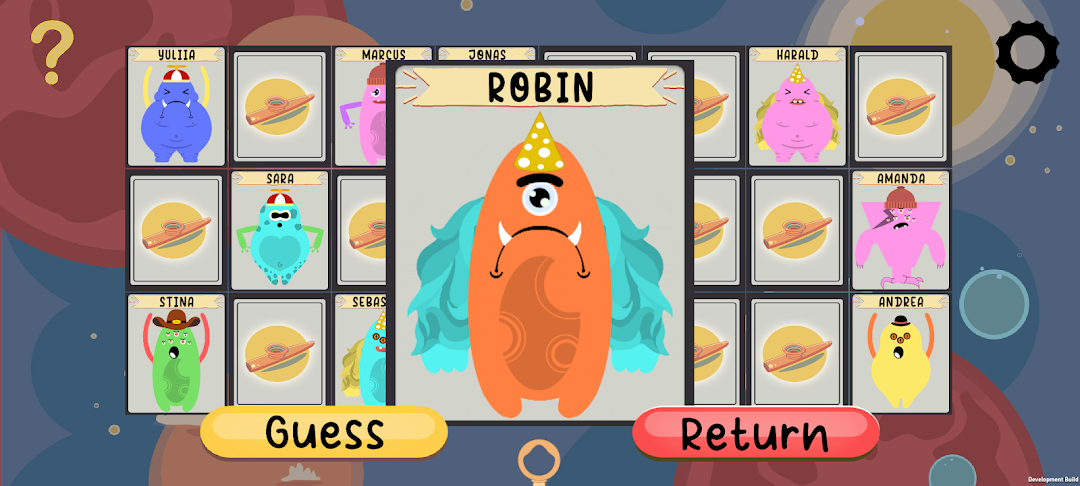
Kaz Who ? is the new digital version of the famous board game “Guess Who?”. Experience fun characters, music and spend good times with your friends and family anywhere!This game is free and also offers three different game modes: two devices, one device and against an AI. With original kazoo-music and randomised characters, each gameround is a unique experience. Now you can learn about colours, facial expressions and social interactions in a fun way!
Features:
Learning:
Facial expressions.
Basic colours.
Body-parts.
Exclusionary ability.
Randomization:
Unique random characters every game.
Variety of random names each turn.
Great replayability.
Art:
Unique original artwork.
Dedicated team to kazoo art.
Dynamic backgrounds.
Easy to use:
No internet connection required for you and your friends or family to play!
Simple design and controls.
Social experience:
Connect with your friends and family.
Different language options.
Play together from a distance.
Make your own rules.
Music and sound:
Completely original soundtrack.
Handcrafted unique sound effects.
Engaging and adventurous soundtrack.
Kazoo.
Keywords:
Who
Guess
Kazoo
“Kaz Who?” is a game that can be enjoyed by players of all ages while also providing many opportunities for learning and skill development. Through asking strategic questions, players can enhance their problem-solving and logical thinking abilities, while also improving communication skills by practising clear and concise questioning. Memory skills are developed as players keep track of characters that have been ruled out, and social skills can be strengthened through respectful and cooperative interaction with others. Additionally, "Kaz Who?" can foster critical thinking skills by requiring players to evaluate clues provided by their opponent and make educated guesses based on deductive reasoning. Overall, "Kaz Who?" is an entertaining and educational game that can provide many benefits for players of all ages.
Create your own aliens, challenge your friends & family and kazwhoo they really are…👽