Kids Cars Games build a truck is a Educational application developed by GoKids! publishing, but with the best Android emulator-LDPlayer, you can download and play Kids Cars Games build a truck on your computer.
Running Kids Cars Games build a truck on your computer allows you to browse clearly on a large screen, and controlling the application with a mouse and keyboard is much faster than using touchscreen, all while never having to worry about device battery issues.
With multi-instance and synchronization features, you can even run multiple applications and accounts on your PC.
And file sharing makes sharing images, videos, and files incredibly easy.
Download Kids Cars Games build a truck and run it on your PC. Enjoy the large screen and high-definition quality on your PC!
Educational games for kids kindergarten are the most popular way to study nowadays and our memory games will help them in their preschool education. Welcome to our funny games world with our Toddler Car Games.Kids cars is a fun educational app for early preschool age that will help you in learning vehicle names and sounds. Start your kindergarten learning with us. Game requires no internet connection and can be played everywhere. So let’s start the journey to the world of vehicles with our Cars for boys.
Main features:
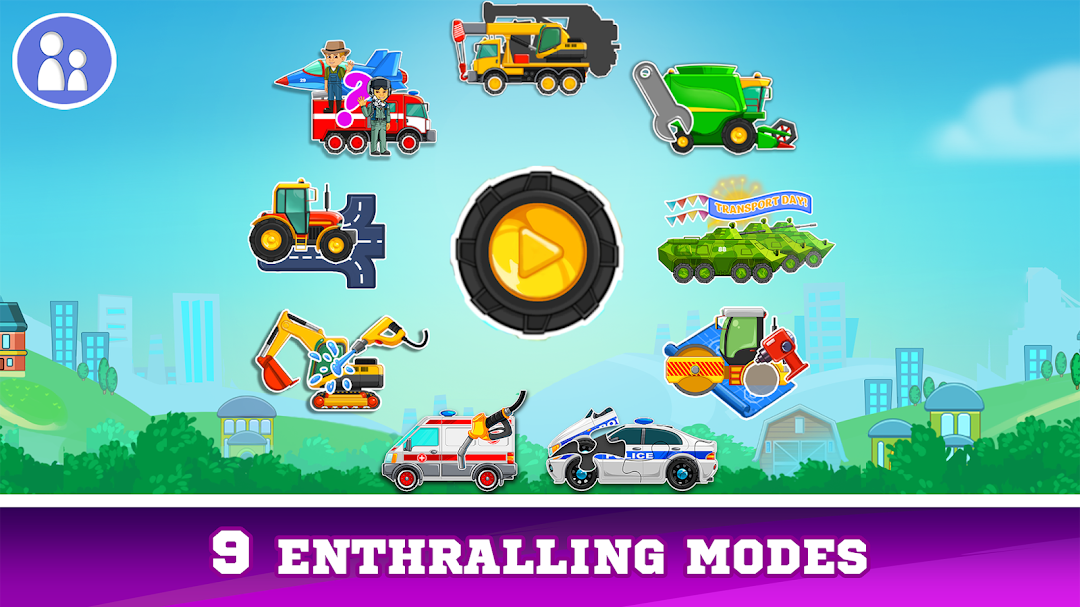
1) Children will learn rescue vehicles, farming equipment, construction vehicles and military transport.
2) 15 vehicles for learning:
● Emergency situations - an ambulance, a fire engine, a police cars for boys, a rescue helicopter, a lifeboat;
● Working machines - a crane, an excavator, a tractor, a roller for laying asphalt, a harvester;
● Military equipment - tank, armored personnel carrier, bomber, warship.
3) Little ones will hear sounds of different transport.
4) Learning transport is available in English, Spanish, Russian and some other languages. The app is voiced by native speakers with perfect pronunciation and clear diction.
5) The app develops perseverance, attentiveness, logical thinking, imagination, curiosity, and trains fine motor skills.
6) Very bright and at the same time clear and intuitive interface, great graphics and realistic sounds. So even little boys and girls will deal with the toddler car games easily and play it with a lot of fun and interest.
7) 5 mini puzzles to fix the knowledge.
Thank you for choosing our game for your child. Your opinions and comments are valuable for us, so don’t hesitate to leave reviews.Educational games for kids kindergarten are the most popular way to study for boys and girls nowadays and our memory games will help them in their preschool education.
Learning different types of vehicles, their parts and sounds. Make puzzles, wash cars, distinguish types of transport.
Kids learn different types of transport: special equipment, building machinery, rescue vehicles, water and air transport, military equipment and agricultural equipment. There are seven exciting tasks which both boys and girls find entertaining. Make puzzles out of car parts, repair equipment, wash vehicles, refuel cars at a gas station and define the type of equipment.
Let’s start.
The first task includes connecting the car with its shadow. The kid moves the image of the vehicle into the appropriate outline to get a whole picture.
Repair time is for the second task! The kid should put missing parts back into the transport unit. The entertaining repair process teaches littles care and attention. There are a helicopter, a lifeboat, a police cars, an excavator, a fire engine, a tractor, an asphalt paver and other transport for repairing.
Educational game about transport and vehicles for toddlers is a perfect assistant in learning vehicles around us. This app is great for kids in kindergarten as well as for preschoolers. Play and Learn with us!
Privacy Policy: http://gokidsmobile.com/privacy-policy/