Kids shooter for bubble games is a Educational application developed by GoKids! publishing, but with the best Android emulator-LDPlayer, you can download and play Kids shooter for bubble games on your computer.
Running Kids shooter for bubble games on your computer allows you to browse clearly on a large screen, and controlling the application with a mouse and keyboard is much faster than using touchscreen, all while never having to worry about device battery issues.
With multi-instance and synchronization features, you can even run multiple applications and accounts on your PC.
And file sharing makes sharing images, videos, and files incredibly easy.
Download Kids shooter for bubble games and run it on your PC. Enjoy the large screen and high-definition quality on your PC!
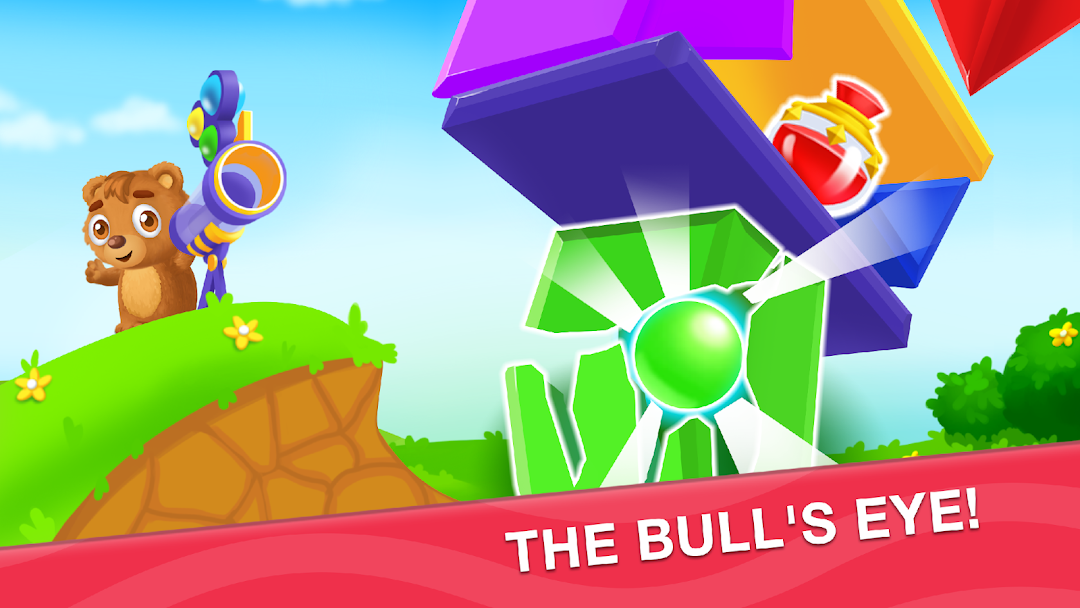
Children's games are great children's entertainment and a way to develop fine motor skills in an easy and fun way. Kids fun game: bear with color balls!Shoot with an air cannon and aim for colorful obstacles with colorful balls!
Break the phials with paints to collect new colors!
Play and have fun with a little Bear the Shooter kids game!
How to play in our game for kids :
Choose the appropriate colors of balls to destroy the obstacles. You need to shift colorful balls to choose one with the color you need - the colors should match the colors of the obstacles. Tap and change the colors of colorful balls!
Target your colored boll by setting the direction lines. To do this just touch the screen and move left, right, down or up and you see the lines.
After setting the direction line - get your finger loose and let the boll go!
Break colorful obstacles! The glass phial with paint breaks and you give a high five to the Teddy Bear!
Enjoy a fairytale lane and spring view with our new game Teddy colorful catapult toy gun.
Throwing balls to crash the obstacles develop children's attention and motor skills. Choose wisely and break the construction which hides the phial full of paint as soon as you can! Become a real archer and sharp-eyed player!
Benefits of the fun game:
Our funny and giggles-causing game helps children’s creativity and imagination! Learning colors while playing and having fun is a super activity for preschool educational programs for kids from 3 to 5.
The game combines educational and entertaining elements which help to learn through playing without struggling with a dull education process. Throwing the colorful balls into obstacles trains fine motor skills and coordination of kids. Children will also like the game with funny bear.
Foster your alertness and attentiveness while shooting paint bolls together with the lovely Teddy Bear!
Multilingual voice acting helps the kids to quickly master the words of their own and foreign languages and a narrator’s comments and compliments make the game pleasant and safe.
Visit the PARENTS’ CORNER to change the language of the game and to adjust the sound and music. You can choose here your subscription plan to let your kid play at a convenient time and with no ads.
Share your feedback and suggestions with us via support
support@gokidsmobile.com
You are also welcome on Facebook https://www.facebook.com/GoKidsMobile/
and on Instagram https://www.instagram.com/gokidsapps/
Boldly choose the color of the ball, aim accurately and bravely send the ball flying! Our fun game helps children develop logic, motor skills and accuracy. Play and develop with us!
Let's play our boll shooter game for kids and have fun.