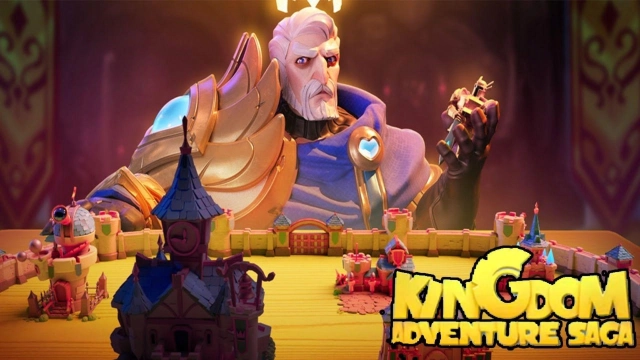
Kingdom Adventure Saga is a Strategy game developed by Neuron Network Limited, and LDPlayer is the best platform for playing Kingdom Adventure Saga on Windows PC, offering powerful features for an immersive experience.
When playing Kingdom Adventure Saga on your computer, you can enjoy long game sessions using the operation recording feature to record repetitive operations to complete the same tasks automatically. It allows you to level up faster and makes resource grinding much more efficient.
In addition, if you want to execute combo moves or the game requires repeated skill actions, the macro feature is your best helper. It enables you to complete kills with just one click!
If you want to manage multiple accounts, LDMultiplayer and Synchronizer will assist you. You can run multiple alternative accounts at the same time to assist the leveling of your main account. Download and play Kingdom Adventure Saga on PC with LDPlayer now!
The dragon's wrath engulfed the land and the old kingdom. You made it through the catastrophe and came to this deserted island. We need a real hero to rebuild the kingdom! My Lord, are you ready to embark on your kingdom adventure?Start from scratch
Build a village first on the island. Command your farmers to grow crops, gather resources, hunt animals, cut wood, mine ores and build houses. From the wilderness to a kingdom... Time to create your legend!
Build your kingdom
Build your castle as you like, upgrade the buildings with strategies and study techs to grow faster. You'll witness how the place is turned from a small village into a castle and even the strongest kingdom upon the land!
Explore the unknown
The land is full of threats and underground treasures. Explore the unknown in the mist, drive away the Vikings and look for treasures and resources! Your territory and sphere of influence will be expanded this way.
Build a larger army
Go to different places to take in more soldiers. When your army is strong enough, hit the enemies with a heavy blow! Once defeated, the enemies will become part of your army. Ready to lead your team to the final victory?
Recruit legendary heroes
Legendary heroes from different cultures will be at your command on the battlefield! Design your hero combo and formation to win with strategies!
Join forces with allies
Join an alliance and fight side by side with your allies! Millions of players worldwide will meet on the battlefield. Together, you and your allies will handle all challenges and conquer the world!