

Kingdom Quest Open World RPG is a Role Playing game developed by Impetus Games, and LDPlayer is the best platform for playing Kingdom Quest Open World RPG on Windows PC, offering powerful features for an immersive experience.
When playing Kingdom Quest Open World RPG on PC, as a new player looking to start with a fresh account, the multi-instance and sync features are extremely useful for rerolls. You can use them to run multiple instances and begin the synchronization process. Bind your account until you draw the desired heroes.
In addition, operation recorder is great for games that require you to level up and complete tasks! Run the sync and record your actions, then repeat the main instance's actions in real-time. By doing so, you can run 2 or more accounts simultaneously. You can always get the heroes you want before others by faster rerolls and more efficient summoning! Start downloading and playing Kingdom Quest Open World RPG on your computer now!
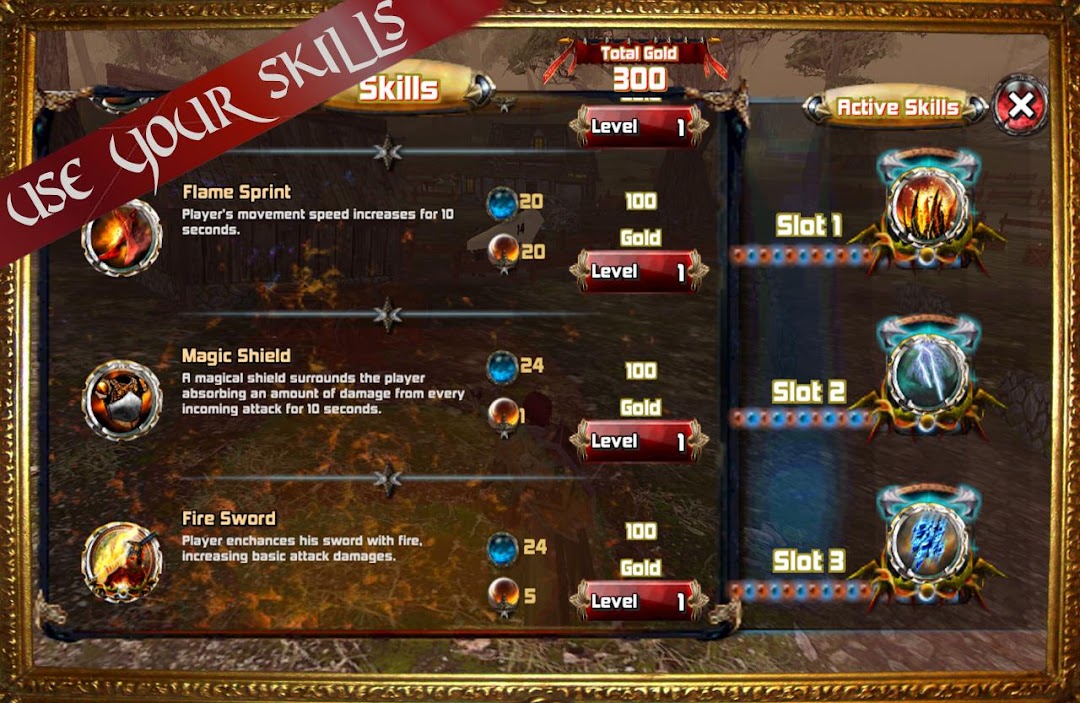
Ready for a true Fantasy RPG with a fantastic story?Kingdom Quest, open world offline RPG in a fantastic environment. Your hero is The Crimson Warden, one of the King's elite warriors that must secure people in the cursed realms until the army arrives. Embark on a fantastic journey filled with hundreds of enemies and try to upgrade your hero's skills & attributes to fight better.
✔ Even if it features vast 3D worlds and dynamic and interactive action, Kingdom Quest Crimson Warden is resource friendly, just around 100 mb and works smoothly on phones & tablets.
Game features:
⚔️ True Fantasy RPG Gameplay. Guide your hero through various worlds completing quests and fighting countless enemies. Upgrade your hero and level up.
🏆 Leveling & Upgrades. You can endlessly level up your hero based on experience points received in battles. Use loot to upgrade your hero's skills and improve his stats.
📜 Hundreds of Quests. The Fantasy RPG story unfolds as you advance in the game and there are more than 120 quests you must complete, including side quests. Track your progress on the mini-map.
👹 Hoards of Enemies. Fight against more than 20 different enemies, from the luring Mermaids to Goblin, Orcs and many more. Destroy breakable objects (crates, chests etc.) to collect gold.
🏰 3D Fantastic Open World. Crimson Warden has a beautiful 3D environment with a fantastic touch. Control the viewing angle and enjoy a dynamic & interactive world.
🎵 Musics and soundtracks. Crimson Warden is accompanied by an upbeat soundtrack that coupled with its 3D graphics and gameplay offers an immersive Fantasy Open World RPG experience for all players.
✅ Install it now to enjoy a great 3d fantasy role playing game experience
For supporting, opinion and suggestion don't forget to rate and review the game
✔ Follow us for the latest info and game news!
▶ https://www.crimsonwarden.com
▶ https://www.facebook.com/CrimsonWardenGame/
▶ https://twitter.com/crimsonwarden
▶ https://plus.google.com/u/1/100342076239962677720