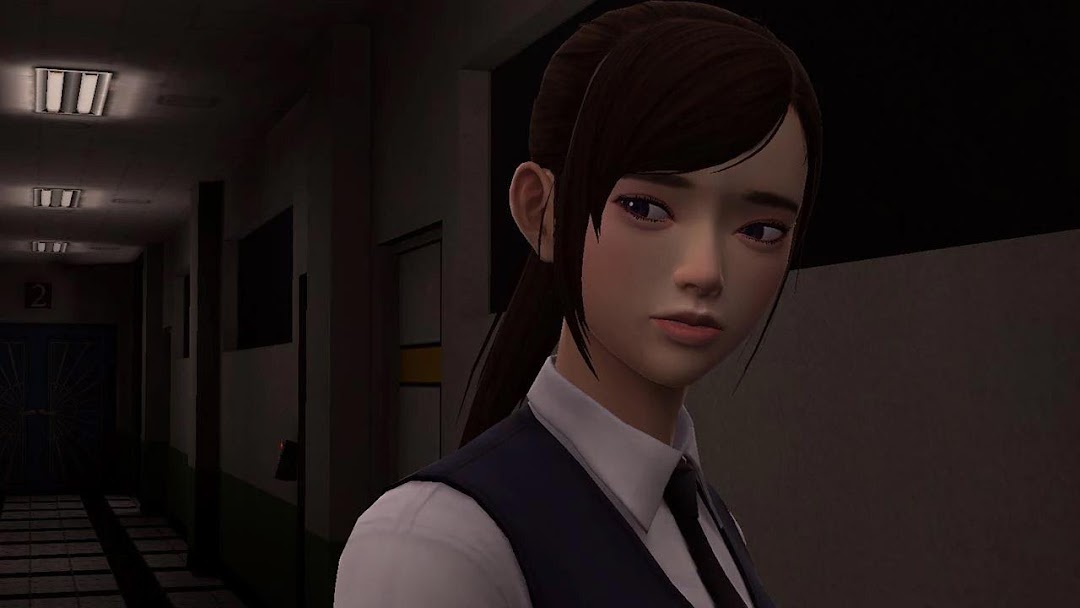
White Day - The School is a Adventure application developed by SONNORI, but with the best Android emulator-LDPlayer, you can download and play White Day - The School on your computer.
Running White Day - The School on your computer allows you to browse clearly on a large screen, and controlling the application with a mouse and keyboard is much faster than using touchscreen, all while never having to worry about device battery issues.
With multi-instance and synchronization features, you can even run multiple applications and accounts on your PC.
And file sharing makes sharing images, videos, and files incredibly easy.
Download White Day - The School and run it on your PC. Enjoy the large screen and high-definition quality on your PC!
★ [Download guide for those who already purchased the game]This page is for new users.
Users who purchased the game before April 30, 2018 can re-download the same game and use their existing data and purchase history by following the link below.
(The link below is only accessible to those who previously purchased the game.)
https://play.google.com/store/apps/details?id=kr.co.roigames.whiteday.g
★Lovers of the Beach outfit is a free item for new buyers.
★ About the Resource Download
Game resources will be downloaded upon initial game launch. Approximately 2 GB of data is downloaded, so please make sure to have enough available space and a stable Wi-Fi connection.
★ Game Introduction ★
The legendary classic horror game returns with full 3D graphics.
The School : White Day offers state-of-the-art 3D graphics, solid storyline, and deep immersion, packed into an excellent horror game.
The School : White Day is a remake of the PC version, ""White Day: A Labyrinth Named School"" released in 2001. The original game gained much popularity in South Korea and is still fondly remembered by fans. It also gained a cult-like following in the United States, Canada, the United Kingdom, and other countries.
The School : White Day captures a distinctly Asian perspective and atmosphere, and centers around a high school that is swirling with legends and mysteries. The game follows the story of Hui-min, the protagonist, and other students who find themselves locked in the school late at night.
★ Game Features ★
Experience a whole new level of fear by being trapped in a school after hours!
While school is a familiar setting for everyone, The School : White Day's Yeondu High School is full of possessed janitors, ghosts with mysterious pasts, and all sorts of dangers and horrors.
Run for your life!
There are no overly gory scenes in The School : White Day. There are no weapons like knives or guns to use. The player is just a normal student who must run away from the dangers that lurk in the school in order to survive.
A rich storyline with many possible endings!
The School : White Day follows the main character and his fellow female students who are trapped in the School, while they struggle to survive. Their stories playout in elaborate and fascinating ways; providing a storyline that is on par with console games in length.
Also, the player's choices and actions determine the outcome of the game, with a total of 7 possible endings.
★ All 8 Languages Supported:
- Korean, English, Spanish, French, German, Italian, Chinese(Simplified/Traditional), Russian, Japanese
- English voice supported
- Chinese voice supported
★ Game Inquiry & Customer Support ★
If you have any questions while playing the game, please contact us at whitedaycs@roigames.co.kr.
Below are the minimum hardware requirements for The School : White Day.
Recommended: Quad-core CPU, 1GB+ RAM"