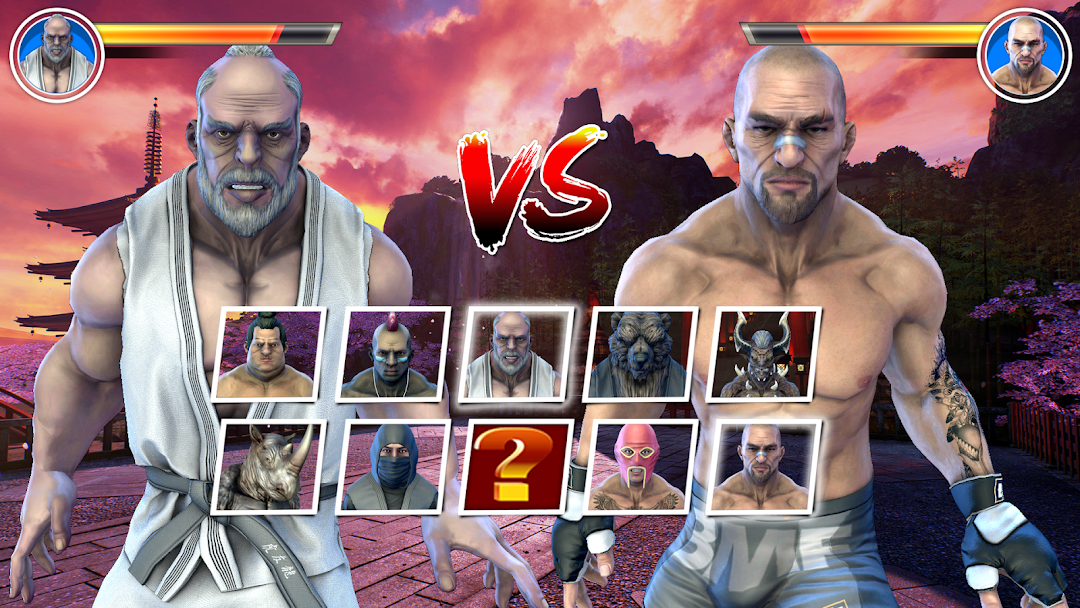
Kung Fu karate: Fighter Games is a Action game developed by Semsolt, and LDPlayer is the best platform for playing Kung Fu karate: Fighter Games on PC, offering powerful features to immerse you in the game.
When playing Kung Fu karate: Fighter Games on computer, you can adjust frame rate settings for smooth gameplay and stunning visuals.
LDPlayer also provides pre-configured keyboard mapping for convenient control of the entire game. Continuous optimization of keyboard mapping enhances key sensitivity and skill accuracy. Additionally, LDPlayer offers special buttons like shoot, hide mouse, and continuous key press for an enhanced gaming experience.
If you prefer using a gamepad, the automatic gamepad detection allows you to customize controls with just a few clicks, enabling you to freely maneuver your hero. Start downloading and playing Kung Fu karate: Fighter Games on your computer now!
Introducing an All-New Survival Mode for Kung Fu Fighting Game Fans!We’ve been listening to your feedback and are excited to bring you an even better Kung Fu gaming experience. Here’s what’s new in the latest update:
Tekken Mode: The ultimate modding TEKKEN games that provides you with endless resources like: Mods, Tools and more.
New Knockout Mode: Test your skills in the all-new survival mode and show off your fighting prowess!
Special Character Packs: Unlock new characters with unique fighting styles.
Epic Finishing Moves: Now featuring Friendship, Babality, and Animality for the ultimate showdown!
Daily Rewards & Gifts: Enjoy new rewards every day to keep the action going!
Challenging Levels: Explore new difficulty modes for players who crave tougher battles.
Enhanced Graphics & Animations: Get ready for even smoother and more immersive gameplay with stunning visuals and refined fighting moves.
Improved Tekken Controls: Enjoy intuitive, responsive touch controls for a seamless experience.
Bug Fixes & Optimizations: We've worked hard to fix bugs and reduce crashes, so you can focus on fighting.
User-Specific Level Improvements: We’ve optimized certain levels based on your requests for a more enjoyable experience.
Download now and dive into the ultimate Kung Fu fighting tekken game! Don’t forget to leave your feedback to help us improve even more.