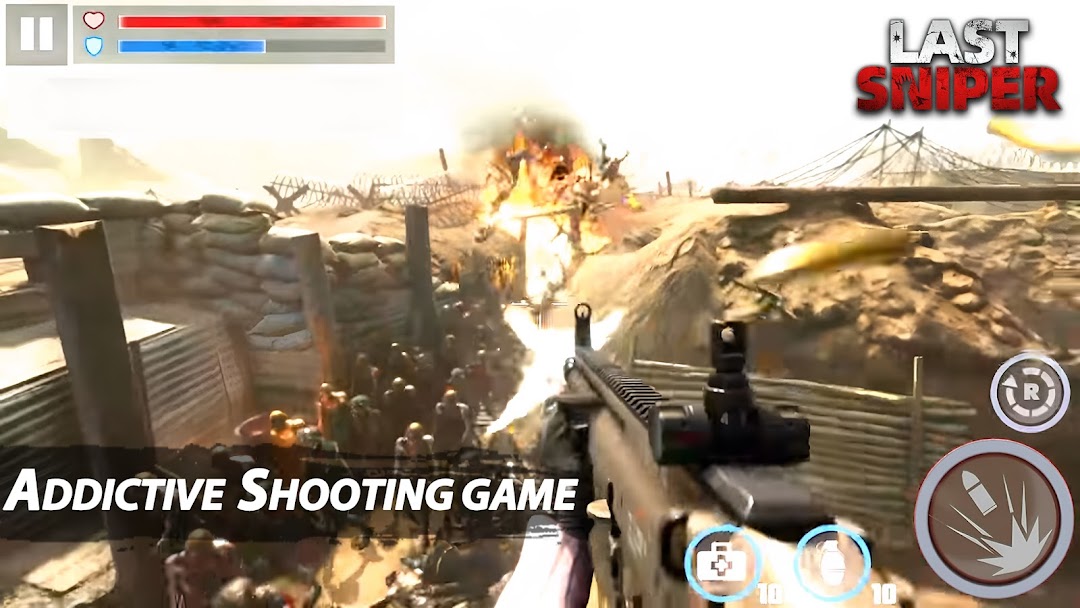
Last Sniper is a Action game developed by Hello Games Team, and LDPlayer is the best platform for playing Last Sniper on PC, offering powerful features to immerse you in the game.
When playing Last Sniper on computer, you can adjust frame rate settings for smooth gameplay and stunning visuals.
LDPlayer also provides pre-configured keyboard mapping for convenient control of the entire game. Continuous optimization of keyboard mapping enhances key sensitivity and skill accuracy. Additionally, LDPlayer offers special buttons like shoot, hide mouse, and continuous key press for an enhanced gaming experience.
If you prefer using a gamepad, the automatic gamepad detection allows you to customize controls with just a few clicks, enabling you to freely maneuver your hero. Start downloading and playing Last Sniper on your computer now!
A new undead plague has begun. Use your sniper rifle to shoot zombies and stop the apocalypse. Enjoy this zombie shooting game hunting and killing enemies. Know your target and become the last hope in the war. The Last Sniper is a realistic and funny fps game.Play dozens of levels in different areas, improve your weapons and become the best sniper of the city. Rescue survivors and kill the dead ones.
Game features
-Zombie HUNTING
Use your sniper weapon to hunt zombies. Aim from a rooftop, helicopter or a street. Kill your target in the warfare. How many zombies can you defeat? The Last Sniper: Killing Games is a stunning fps game!
-Improve WEAPONS
Earn coins to improve the strength, zoom or stability of your weapons. You can also buy new ones: crossbow, bazooka, new sniper rifles, gunship, revolver... Play in special missions to unlock them.
-Realistic SCENES
Exquisite and realistic scenes make your shooting experience colorful and wonderful.
Enjoy one of the funniest 3D zombie shooting games, hunt and save the survivors to stop the apocalypse and end the warfare. Choose between different weapons, improve your stats and play in realistic scenarios and levels. Stop the zombie apocalypse in The Last Sniper: Killing Games and save humanity!