Legally Blonde: The Game is a Puzzle application developed by PlaySide Studios, but with the best Android emulator-LDPlayer, you can download and play Legally Blonde: The Game on your computer.
Running Legally Blonde: The Game on your computer allows you to browse clearly on a large screen, and controlling the application with a mouse and keyboard is much faster than using touchscreen, all while never having to worry about device battery issues.
With multi-instance and synchronization features, you can even run multiple applications and accounts on your PC.
And file sharing makes sharing images, videos, and files incredibly easy.
Download Legally Blonde: The Game and run it on your PC. Enjoy the large screen and high-definition quality on your PC!
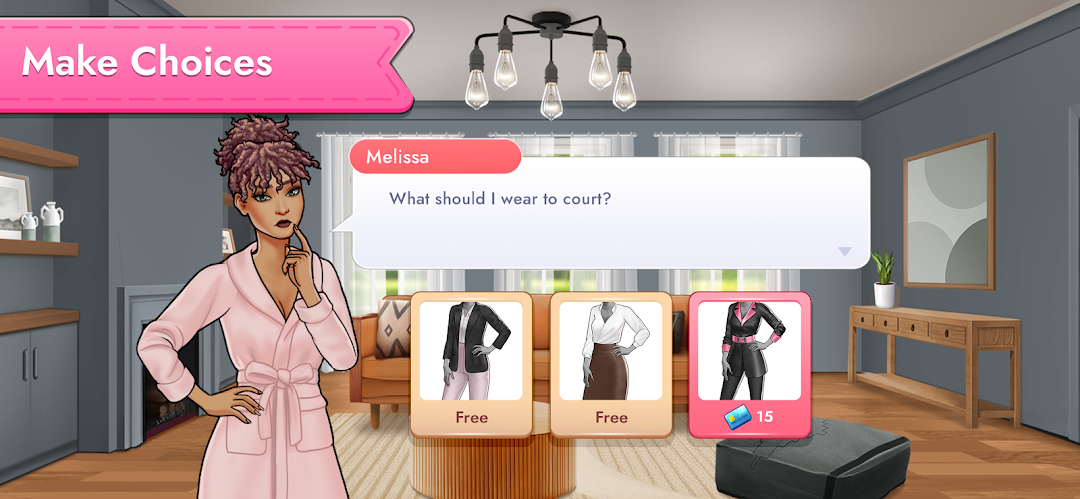
Brains, beauty, and a legal career! Meet Elle Woods and some surprise guest stars as you enter the world of Legally Blonde! Just remember to bend - and snap!Take on a brilliant blend of addictive and challenging Match-3 puzzles and unlock a deep and engrossing choice-driven narrative adventure. Give your custom character a total makeover, renovate your apartment and make friends and love interests.
Climb the legal ladder and earn your spot at the best law firm in town as you enter the world of Legally Blonde!
GLAM IT UP:
Unlock or buy new outfits, hairstyles, make-up, and accessory options and look the part as you take on the world.
FLEX YOUR WIT:
Hundreds of Match-3 levels to beat, with awesome and unique bonus tiles, obstacles, and more! The more you play, the more you earn!
LIFE OF LUXURY:
Live the ultimate penthouse lifestyle as you upgrade and decorate your apartment and personal space!
YOUR CHOICE:
You control your fate in the juicy and exciting narrative set in the Legally Blonde world! Love the world? Choose premium story options for more choices, clues, insights, and surprises!
THE NEXT ELLE WOODS:
Balance a successful career, love life, and high-profile court cases - and do it in style! That’s the Elle Woods way!
Legally Blonde: The Game is free to play, with some in-game items purchasable for real money.
Support: https://www.playsidestudios.com/support
Privacy Policy: https://www.playsidestudios.com/privacy-policy
LEGALLY BLONDE © 2001 Metro - Goldwyn - Mayer Studios Inc.
LEGALLY BLONDE 2: RED, WHITE & BLONDE © 2003 Metro - Goldwyn - Mayer Pictures Inc.
LEGALLY BLONDE: THE GAME © 2023 Metro - Goldwyn - Mayer Studios Inc.
LEGALLY BLONDE & LEGALLY BLONDE: THE GAME are trademarks of Metro - Goldwyn - Mayer Studios Inc. All Rights Reserved.