
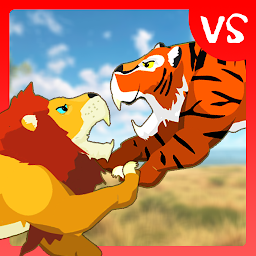


Lion Fights Tiger is a Action game developed by Dexus Wild, and LDPlayer is the best platform for playing Lion Fights Tiger on PC, offering powerful features to immerse you in the game.
When playing Lion Fights Tiger on computer, you can adjust frame rate settings for smooth gameplay and stunning visuals.
LDPlayer also provides pre-configured keyboard mapping for convenient control of the entire game. Continuous optimization of keyboard mapping enhances key sensitivity and skill accuracy. Additionally, LDPlayer offers special buttons like shoot, hide mouse, and continuous key press for an enhanced gaming experience.
If you prefer using a gamepad, the automatic gamepad detection allows you to customize controls with just a few clicks, enabling you to freely maneuver your hero. Start downloading and playing Lion Fights Tiger on your computer now!
The African Lion, the king of african savanna, whose prey consists of many animals such as Wildebeest, Zebra, and even Hippo and African Lion is visiting the asia continent. The Lion, along side with the whole pride and its Lioness is invading the bengal area where it lies the king of asiatic jungle, the Bengal Tiger.The notorious elusive predator, Bengal Tiger is the king of the jungle. Infamous for its stealth, power and beauty, this dangerous predator prey on many other animals such as Deer, Gaur, Wild Boar even Crocodile and young Asiatic Elephant.
The clash of the kings. Lion went to challenge the apex dangerous beast to claim his rightful pride as the king. The Tiger refuses and goes to attack the old king. Who would win in this Lion vs Tiger battle?
How To Play:
- Use joystick to move around as the Lion or Tiger
- Press four attack buttons to attack enemy wild animals
- Build up combo and unlock special attack
- Press special attack button to unleash powerful hit and stun enemy beast
Features:
- Accurate and awesome graphics
- Pick your side as Lion or Tiger
- Fun gameplay of jungle animal game
- Great sound effects and awesome action music
- Fight 5 different lion and tiger as different challenge







