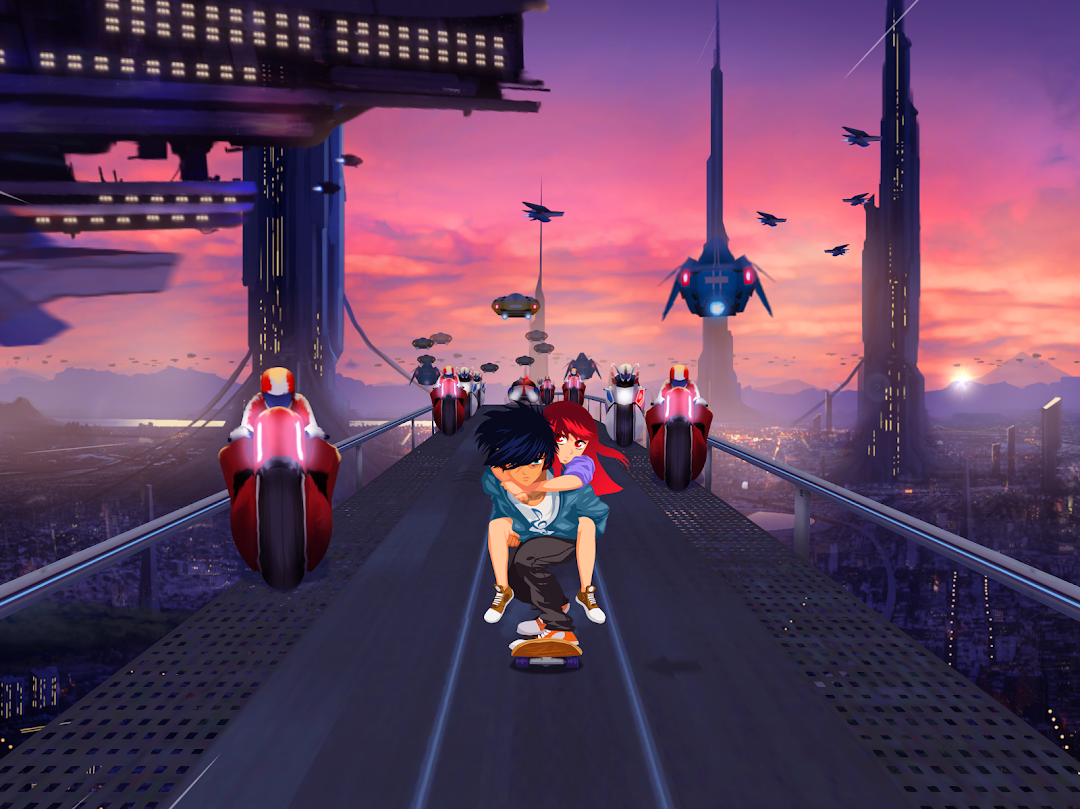
Lost in Harmony is a Music application developed by Digixart Entertainment, but with the best Android emulator-LDPlayer, you can download and play Lost in Harmony on your computer.
Running Lost in Harmony on your computer allows you to browse clearly on a large screen, and controlling the application with a mouse and keyboard is much faster than using touchscreen, all while never having to worry about device battery issues.
With multi-instance and synchronization features, you can even run multiple applications and accounts on your PC.
And file sharing makes sharing images, videos, and files incredibly easy.
Download Lost in Harmony and run it on your PC. Enjoy the large screen and high-definition quality on your PC!
The acclaimed game Lost in Harmony!Best of 2016 : Most innovative Games
Discover 2 amazing stories :
■ M.I.R.A.I.'s Escape
Conduct M.I.R.A.I. in his flight through the universe
Help him to escape his destiny
Discover the thrilling music of famous Japanese composers
■ Kaito's Adventure
An unforgettable journey. Live the tale.
This is a story where boy meets girl, and fate tries to tear them apart.
Embark on a breath-taking journey to help Kaito save Aya.
How to play:
- TAP stars in rhythm according to the song
- SWIPE and JUMP to avoid the obstacles
Features:
• Experience music in a new way with the combination of rhythmic tapping and choreographic runner in an emotional story
• Play songs by famous composers & singers like Wyclef Jean, Onoken, Tadayoshi Makino, Fumitake Igarashi, Godspeed Vivix
• Breath-taking graphics that’ll sweep you off your feet!
• Astonishing cinematic effects!
• Tap & Play to your favorite songs!
• Create your own levels, share & play with your friends!
• Moving and original soundtracks
• 10,000+ levels to play generated by other gamers!
Languages: English, French, Spanish, Portuguese, German, Italian, Dutch, Turkish, Russian, Chinese (simple), Chinese (traditional), Korean, Japanese, Indonesian, Thai, Vietnamese, Arabic
Facebook https://www.facebook.com/LostinHarmony
Twitter https://twitter.com/lihgame
IMPORTANT If you bought the full game before, simply contact us at support@digixart.com and send us the related invoice to obtain compensation.
PLEASE NOTE that we do not store songs on our database, nor do we facilitate the sharing of songs. Lost in Harmony simply uploads and downloads the levels data.