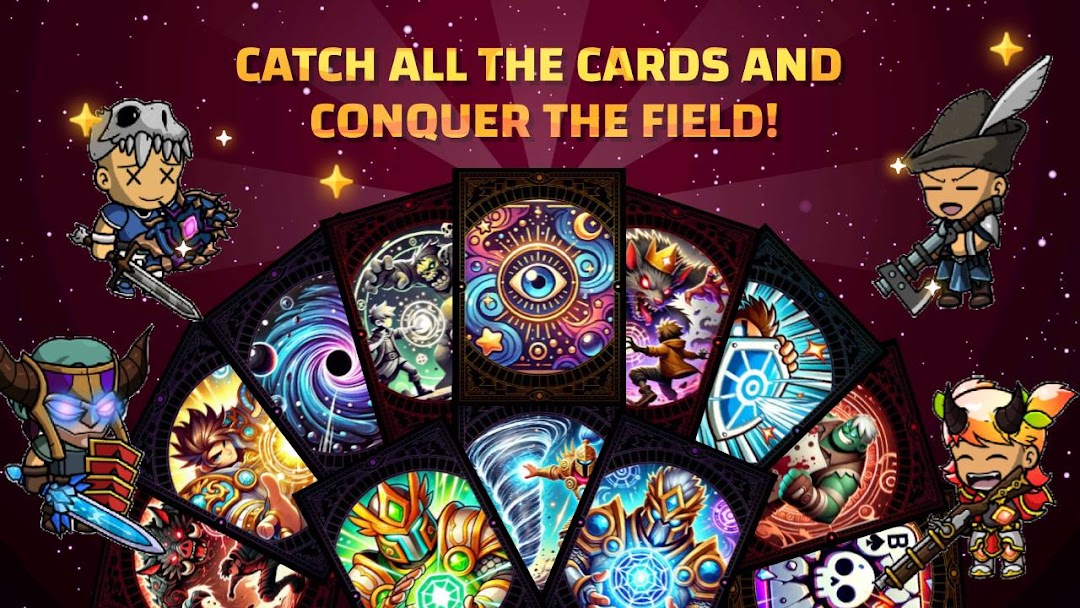
Megapunch: Card Battle Arena is a Card application developed by Luxisoft, but with the best Android emulator-LDPlayer, you can download and play Megapunch: Card Battle Arena on your computer.
Running Megapunch: Card Battle Arena on your computer allows you to browse clearly on a large screen, and controlling the application with a mouse and keyboard is much faster than using touchscreen, all while never having to worry about device battery issues.
With multi-instance and synchronization features, you can even run multiple applications and accounts on your PC.
And file sharing makes sharing images, videos, and files incredibly easy.
Download Megapunch: Card Battle Arena and run it on your PC. Enjoy the large screen and high-definition quality on your PC!
Welcome to Megapunch! 🥊🎮Step into a world of epic card battles and customize your champion like never before! With over 1000 possible combinations for your hero and more than 100 cards to unlock, every match will be unique and strategic. 🌟
Key Features:
🔧 Customize your champion: Over 1000 combinations to create the perfect champion. Change their appearance, abilities, and powers to suit your playstyle!
🃏 More than 100 cards to unlock: Expand your collection with powerful cards that help you defeat your rivals in thrilling battles. Each card has its own unique power and effect!
🔝 Upgrade your cards: Make your cards even more powerful! Improve their abilities to gain more battle power and dominate your opponents in every fight.
🎯 Exciting campaign: Dive into an epic story and challenge powerful enemies to earn exclusive rewards. Every mission brings you closer to dominating the battlefield!
⚔️ Real-time multiplayer: Compete against players from all over the world! Show off your skills in card duels, climb the ranks, and become the ultimate champion. 🏆
📊 Ranking system: Climb the global ranking and showcase your power! Every victory brings you closer to the top spot.
🏰 Clan system: Join a clan and fight alongside other players. Share strategies, make new friends, and conquer the world together.
👑 Nobility system: Reach new levels of prestige and prove you're a true card master. Power and respect await you!
👀 Explore other players' champions: Take a look at other players' champions, learn their strategies, and challenge them to earn new rewards.
🔗 Share your social profile: On your champion's screen, you can share your social media profile so other players can see your achievements and connect with you. Grow your community of followers!
🆚 Boss battles: Participate in epic boss battles to earn big rewards. Show your bravery and win rare, powerful cards!
💸 Multiplayer battle wagers: Dare to wager on your victories? Risk it to win big rewards in multiplayer battles.
👑 Become the King of the Game: Conquer the title of King of the game and receive additional combat bonuses to give you an edge in all your battles. Earn huge rewards for being the strongest!
☁️ Cloud progress saving: Never lose your progress. Save your game to the cloud and access your account from any device.
Get ready to be the ultimate champion of Megapunch!
Challenge your friends, collect cards, and prove who's the true leader of the battlefield! 💥🃏