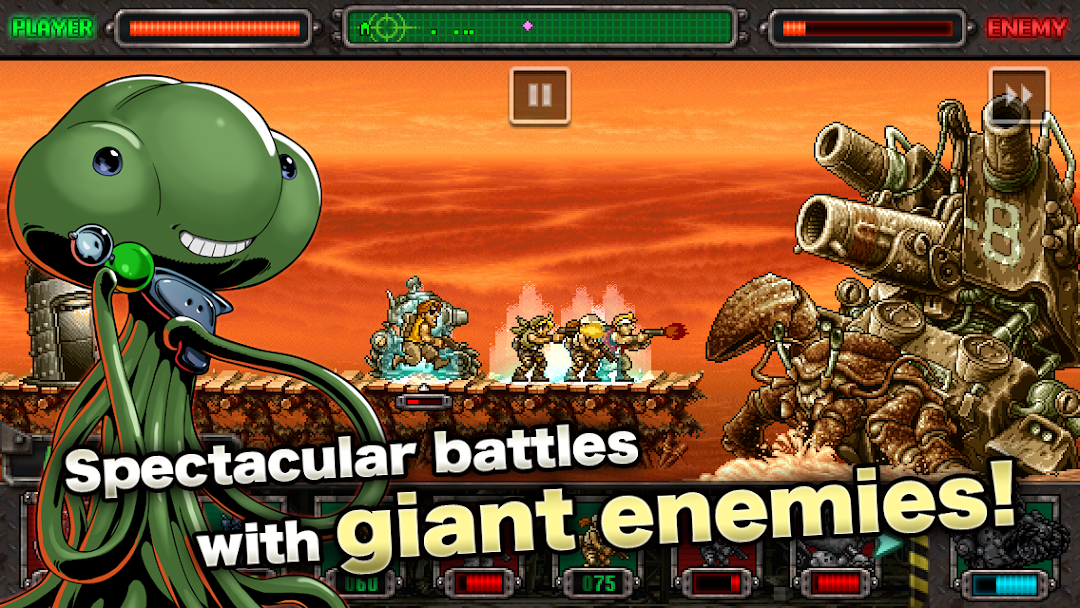
METAL SLUG DEFENSE is a Strategy game developed by SNK CORPORATION, and LDPlayer is the best platform for playing METAL SLUG DEFENSE on Windows PC, offering powerful features for an immersive experience.
When playing METAL SLUG DEFENSE on your computer, you can enjoy long game sessions using the operation recording feature to record repetitive operations to complete the same tasks automatically. It allows you to level up faster and makes resource grinding much more efficient.
In addition, if you want to execute combo moves or the game requires repeated skill actions, the macro feature is your best helper. It enables you to complete kills with just one click!
If you want to manage multiple accounts, LDMultiplayer and Synchronizer will assist you. You can run multiple alternative accounts at the same time to assist the leveling of your main account. Download and play METAL SLUG DEFENSE on PC with LDPlayer now!
■■■■■■■■■■■■■■■■■■■■■■■■■■■■■■■■■■■■■■■■■■■■More than 29 million downloads!
Discover a game that has been worldwide acclaimed!
■■■■■■■■■■■■■■■■■■■■■■■■■■■■■■■■■■■■■■■■■■■■
This game has been succeeded by Metal Slug Attack.
Enjoy new characters, updated features and more in Metal Slug Attack.
Here are some of the reasons of METAL SLUG DEFENSE's success:
▼ Intuitive controls & intense action !
"METAL SLUG DEFENSE" has become a worldwide success thanks to its very simple controls and its addictive gameplay!
▼ 4 players can battle each other via the Multiplayer mode!
Up to 4 players can confront each other in 1-on-1 or 2-on2 epic battles in multiplayer!
▼ Intricate 2D dot pixels!
The characters of the "METAL SLUG" universe, who were created by the best dot-pixel artists, return to fight each other in "METAL SLUG DEFENSE"
▼ Epic battles between human beings, aliens and gigantic robots!
More than 200 different characters divided into 5 armies (Regular Army, Morden Army, Marians, etc.) join the battle in "METAL SLUG DEFENSE"!
▼ Characters from "KOF join the universe of "METAL SLUG"!
The most popular characters from the 2D VS Fighting game series "KOF" are ready to battle with their trademark moves in "METAL SLUG DEFENSE"!
Official Facebook fan page:
https://www.facebook.com/SNK.METALSLUGWORLD/
©SNK PLAYMORE CORPORATION ALL RIGHTS RESERVED.
----------------------------------------------------------------
*[Important] Warning regarding Android 5.0
This app may not run correctly under Android 5.0
We are currently working on the compatibility with Android 5.0
We apologize for the inconvenience that may cause to you and thank you for your understanding.
----------------------------------------------------------------