Mimpi is a Adventure application developed by Dreadlocks Mobile, but with the best Android emulator-LDPlayer, you can download and play Mimpi on your computer.
Running Mimpi on your computer allows you to browse clearly on a large screen, and controlling the application with a mouse and keyboard is much faster than using touchscreen, all while never having to worry about device battery issues.
With multi-instance and synchronization features, you can even run multiple applications and accounts on your PC.
And file sharing makes sharing images, videos, and files incredibly easy.
Download Mimpi and run it on your PC. Enjoy the large screen and high-definition quality on your PC!
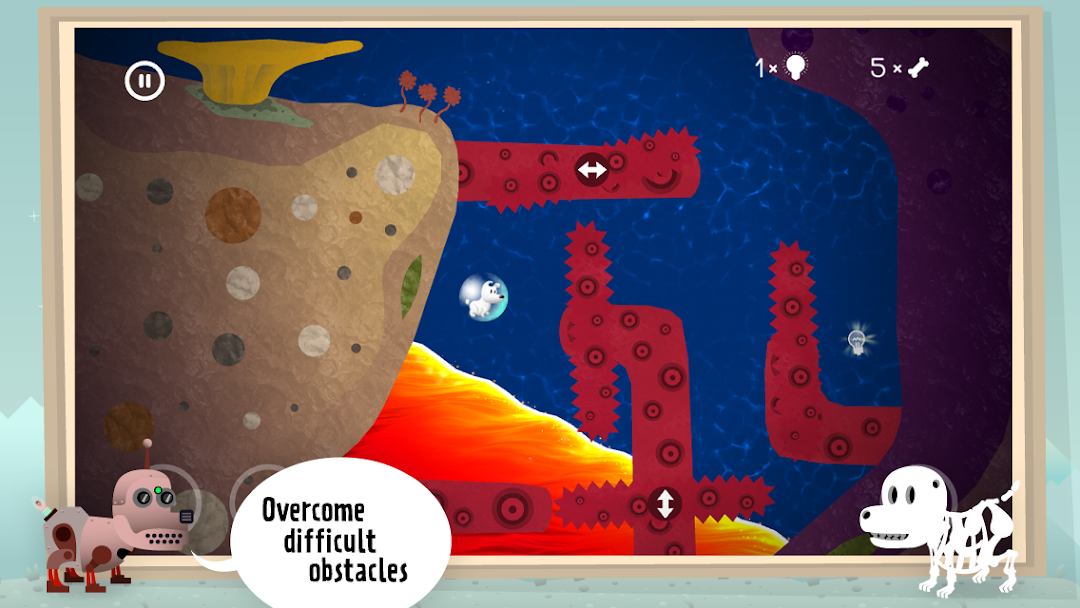
Explore strange new worlds and unique adventures in Mimpi - a fantastic new adventure, puzzle, and platformer game.Best played on a tablet.
Awards:
European Games Awards 2014 nominee for Best European Mobile Game & Best European Art Direction.
Czech Game of the Year 2014 nominee for Visual Arts Excellence.
Reviews:
TouchArcade: 4.5/5 "Mimpi is adorable, the artwork is amazing, and the puzzles are both challenging and simply fun to play through ... I highly recommend folks check it out."
Arcade Sushi: 9/10 "This first rate app is an absolutely gorgeous title, and it’s one of the few physics based puzzlers that moves the heart and the mind."
App Addict: 4/5 "Mimpi is delightful platformer, that really shines due to the challenging puzzle element which often cleverly utilizes the touch screen."
The game is like a psychedelic illustration come alive! Mimpi the dog is searching for his master in eight diverse worlds. The environment is seldom repetitive, the puzzles are always new. The story is told without words by the game world itself. The game can be played by anyone, kids, adults, hipsters, crypto terrestrials... :)
=Features=
- Optimized for tablet
- 8 different illustrated levels where each screen is different
- Puzzle, platformer and adventure mechanics combined into unique gameplay style
- Unique puzzles and minigames that seldom repeat
- 24 short comics to discover
- Unobtrusive story that is told completely without words, no boring dialogues
- Music that changes as you progress levels
- 8 character skins available in game
=Follow Us=
Become a fan of Mimpi on Facebook and get the latest updates www.facebook.com/TheRealMimpi
or follow the devs on Twitter www.twitter.com/SiliconJelly
www.twitter.com/cm_games