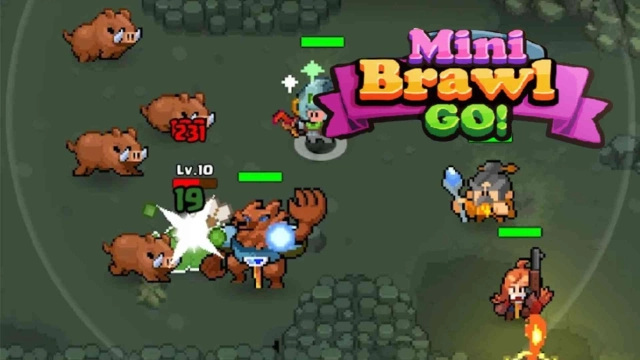
Mini Brawl Go! – Roguelike RPG is a Adventure application developed by LovinJoy Games, but with the best Android emulator-LDPlayer, you can download and play Mini Brawl Go! – Roguelike RPG on your computer.
Running Mini Brawl Go! – Roguelike RPG on your computer allows you to browse clearly on a large screen, and controlling the application with a mouse and keyboard is much faster than using touchscreen, all while never having to worry about device battery issues.
With multi-instance and synchronization features, you can even run multiple applications and accounts on your PC.
And file sharing makes sharing images, videos, and files incredibly easy.
Download Mini Brawl Go! – Roguelike RPG and run it on your PC. Enjoy the large screen and high-definition quality on your PC!
🌟 The Must-Play Pixel Roguelike RPG of 2026 on Google Play!🌟 Casual Adventure & Free Exploration – The most anticipated Idle RPG of the year is officially here!
🌟 Random Encounters, Skill Stacking, & Roguelike Runs – Experience the ultimate stress-relief with fast-paced, ""hack and slash"" combat!
The kingdom is under siege, and only you can save it!
Step into the shoes of a legendary hero in this thrilling idle RPG and fantasy adventure!
Monsters have invaded the land, and the elves have summoned you—the chosen one destined to restore peace. Your journey begins on the kingdom’s edge, where you must gather resources, build your town, and prepare for a grand quest full of danger, mystery, and epic loot.
Explore a vibrant world filled with dungeons, magic, and challenges. Rescue companions, recruit legendary heroes, and form a powerful squad in this action-packed hero collector game.
Uncover hidden secrets in deep caverns, survive enemy ambushes, and become stronger with every step. This is not just a battle—it’s a test of strategy, timing, and teamwork.
★★★ Game Features ★★★
🕹️ Roguelike Dungeons – Explore ever-changing, dangerous caves and uncover rare, epic loot.
🧩 Easy One-Hand Controls – Designed for casual play. Jump into the action anytime!
⚔️ Auto Combat + Strategy – A relaxing idle RPG with surprising strategic depth.
🧙 Team Battle Mechanics – Combine heroes with different elements for tactical advantage.
🐉 Epic Boss Fights – Battle powerful monsters and rise as the ultimate champion.
🎯 Collect & Upgrade – A rewarding hero collector experience with rich progression.
🏰 Town Building System – Recruit heroes and build your base as your command center.
🗺️ Fantasy World Exploration – A vast, beautiful world with countless surprises to uncover.
Whether you are an RPG adventurer, a Roguelike challenger, a strategy enthusiast, or a hardcore Dungeon Crawler fan, Mini Brawl Go! – RPG Adventure has everything you’ve been waiting for.
Recruit your squad, master the randomized evolution combat mechanics, and prove to the world that you are the Chosen Hero.
How far can you survive in this endless, randomized adventure? Jump into the battle NOW, forge your legend, and start your ultimate Roguelike RPG journey today!
Official Discord: https://discord.gg/QpcYVBFaWq