Mobile Legends: Bang Bang is a 5-vs-5 real-time MOBA developed and published by Moonton Games, originally released in 2016 for Android and iOS. Set in the Land of Dawn, two teams of five Heroes battle across three lanes, control jungle monsters, destroy turrets and seek to annihilate the enemy base. With fast matchmaking, short session times and a rich roster of heroes each fulfilling distinct roles, MLBB has grown into a global esports phenomenon where mobility meets strategy.
Core Gameplay & Features
-
Classic 5-vs-5 MOBA Action: Matches last typically 10-20 minutes—push lanes, invade enemy jungle, team-fight and carry your squad to victory.
-
Diverse Heroes & Builds: Over 120 Heroes span roles like Tank, Fighter, Assassin, Mage, Marksman and Support—each with unique skills, equipment and playstyles.
-
Arcade & Competitive Modes: Beyond ranked play, enjoy Brawl, Magic Chess and event modes to vary the experience.
-
Global Esports Ecosystem: MPL, MSC and world championships draw millions of viewers and climaxes on the world stage.
-
Year-Round Live Service: With monthly updates introducing new Heroes, reworks, skins and balance patches, MLBB evolves continuously.
Players love MLBB because it brings console-style team fights into the palm of your hand—intense one-moment kills, tactical lane control and dynamic hero outplays—all within mobile readability. Whether sprinting a comeback, experimenting with new builds or chasing epics, the game balances adrenaline and accessibility.
Play Mobile Legends: Bang Bang on PC with LDPlayer for Best Experience
-
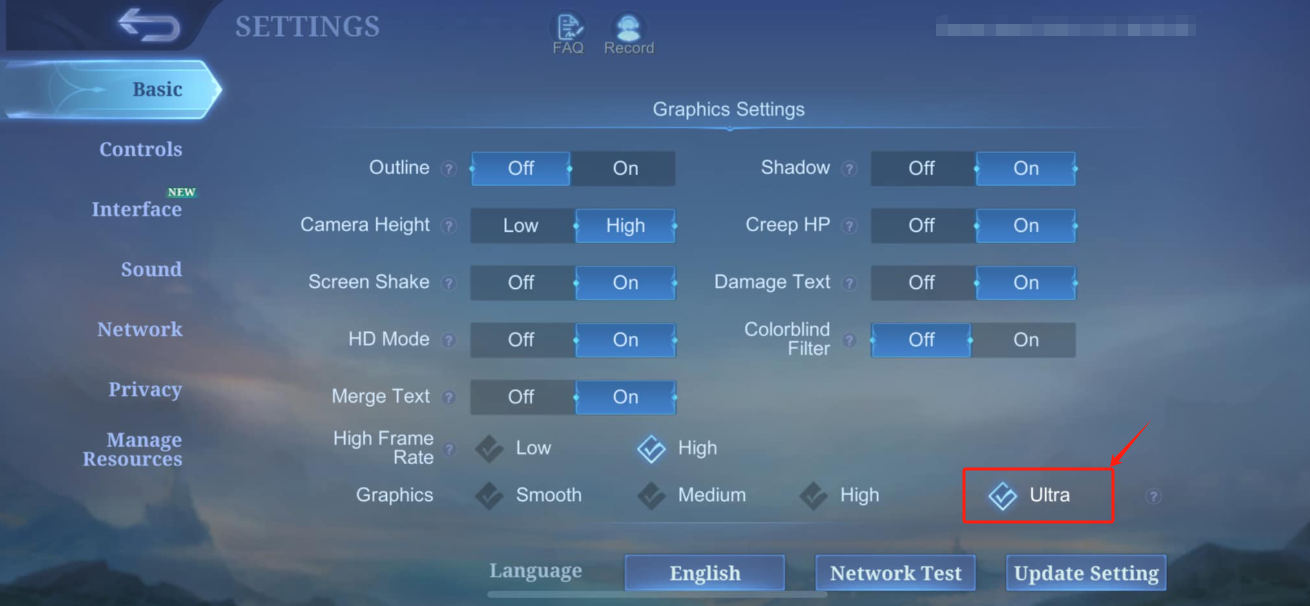
Ultra Screen: See every ultimate, turret explosion and team fight on a full HD or 4K monitor, delivering dazzling visuals.
-
Custom Controls: Keyboard and mouse let you click hero skills, rotate cameras and execute combos with precision.
-
High FPS: Maintain smooth visuals and responsive input during chaotic 5-vs-5 clashes.
-
Battery-free Play: Long gaming sessions without managing phone battery or heat—your PC handles the load.
-
Multi-instance Sync: Run multiple accounts or test hero builds across instances simultaneously for strategic experimentation.
Lead your hero squad to triumph—experience MLBB’s battlefield like never before on PC with LDPlayer.