Home/

Games/

Role Playing/

MONGIL: STAR DIVE

MONGIL: STAR DIVE
4.05+

MONGIL: STAR DIVE

Dive into a world of wonder!

Play on PC with LDPlayer
recommend
Netmarble
How to Download&Play MONGIL: STAR DIVE on PC?
Last Updated: 2025-11-27
com.netmarble.monster2
Share:
  • Overview

  • FAQ

Use LDPlayer to Play MONGIL: STAR DIVE on PC

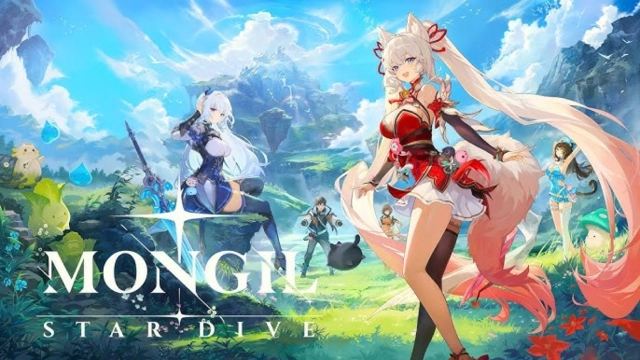
MONGIL: Star Dive is a monster-taming action RPG from Netmarble Monster, powered by Unreal Engine 5. You collect monsters, form a three-character party, and dive into a vibrant world where fast combat and constant discovery define the adventure.

Core Gameplay & Features

  • Collect monsters and expand your Monster Codex — capture creatures with unique abilities, then tame or convert them into Monsterlings to enhance your team.

  • Real-time tag-team combat — swap between characters smoothly to chain skills, react to enemies, and keep the action flowing.

  • Unreal Engine 5 visuals — enjoy expressive characters, cinematic presentation, and detailed environments that bring the world to life.

  • Explore at your own pace — progress through quests, hunt monsters, and enjoy the story without pressure or competitive pacing.

Player Impressions

Swapping characters mid-fight feels fluid and powerful, especially when a quick switch turns the tide of a battle.
Discovering new monsters and expanding the Codex gives a steady sense of progression — every find feels rewarding.

Play MONGIL: Star Dive on PC with LDPlayer

Playing MONGIL: Star Dive on PC through LDPlayer enhances clarity, control, and comfort — perfect for long exploration or action-heavy sessions.

  • Ultra Screen — enjoy a wider field of view and sharper visuals, making exploration and UI management much easier.

  • Custom Controls — use keyboard and mouse for precise combat input and smooth navigation, ideal for fast tag-team action.

  • High FPS & stable performance — experience fluid animations and responsive skill timing during real-time battles.

  • Battery-free long sessions — explore and battle for hours without worrying about heat or battery drain on mobile devices.

Dive into a world of monsters, action, and discovery — play MONGIL: Star Dive on PC with LDPlayer for sharper visuals and smoother control.

Open up

Screenshots and Videos of MONGIL: STAR DIVE PC

Experience a wider field of view, exquisite game graphics, and cooler combat skills and effects by downloading and playing MONGIL: STAR DIVE on PC with LDPlayer. Enjoy the ultimate gaming experience with LDPlayer.

Why Play MONGIL: STAR DIVE on PC with LDPlayer?

LDPlayer offers unique emulator features including multi-instance support, macros, operation recorder, and other functions not available on mobile devices.

Multi-Instance & Sync

Remote Control

Operation Recorder

Multi-Instance & SyncRemote ControlOperation Recorder

Effortlessly clone multiple instances and initiate synchronization until you draw the desired hero before binding your account, enhancing efficiency in rerolls in MONGIL: STAR DIVE.

  • High FPS

    With support for high FPS, MONGIL: STAR DIVE's game graphics are smoother, and actions are more seamless, enhancing the visual experience and immersion of playing MONGIL: STAR DIVE.
  • Keyboard & Mouse

    In MONGIL: STAR DIVE, players frequently perform actions such as character movement, skill selection, and combat, where keyboard and mouse offer more convenient and responsive operation.

How to Download&Play MONGIL: STAR DIVE on PC?

  • 1

    Download and install LDPlayer on your computer

  • 2

    Locate the Play Store in LDPlayer's system apps, launch it, and sign in to your Google account

  • 3

    Enter "MONGIL: STAR DIVE" into the search bar and search for it

  • 4

    Choose and install MONGIL: STAR DIVE from the search results

  • 5

    Once the download and installation are complete, return to the LDPlayer home screen

  • 6

    Click on the game icon on the LDPlayer home screen to start enjoying the exciting game