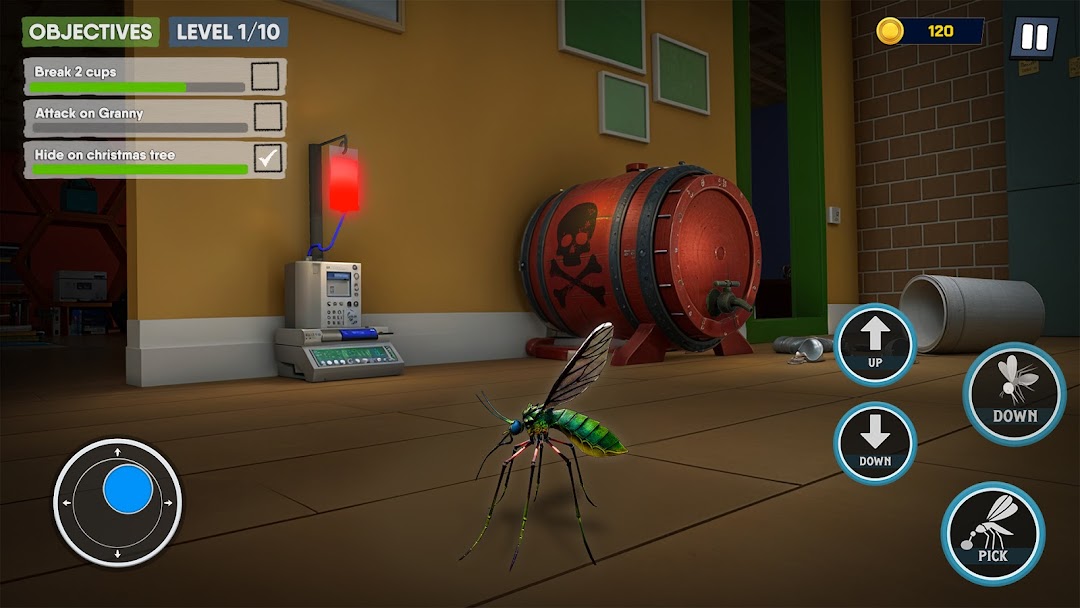


Mosquito vs Granny is a Simulation application developed by Action Arena Games, but with the best Android emulator-LDPlayer, you can download and play Mosquito vs Granny on your computer.
Running Mosquito vs Granny on your computer allows you to browse clearly on a large screen, and controlling the application with a mouse and keyboard is much faster than using touchscreen, all while never having to worry about device battery issues.
With multi-instance and synchronization features, you can even run multiple applications and accounts on your PC.
And file sharing makes sharing images, videos, and files incredibly easy.
Download Mosquito vs Granny and run it on your PC. Enjoy the large screen and high-definition quality on your PC!
Mosquito Game Meets Scary GrannyEnter the buzzing world of Mosquito vs Granny, a chaotic and hilarious mosquito game where you become the ultimate pest! Bite, buzz, and dodge your way through the house of a very scary granny in this wild funny simulation adventure. Perfect for anyone who loves strange matchups and unexpected fun.
Funny Insect vs Human Game
In this one-of-a-kind bug simulator, you're not running from monsters—you're the one causing trouble! Play the ultimate granny game by flipping the script and becoming the nuisance. Experience wild chases, unpredictable reactions, and clever moves in a wacky mosquito survival challenge. This 3D insect game puts you in the wings of a bug with a mission.
Creepy Simulator and House Survival
Explore a mysterious house in this thrilling creepy simulator. Use your skills to survive and bite while Granny hunts you down. It’s the perfect blend of house survival, stealth, and strategy. Whether you're buzzing in the kitchen or dodging in the attic, the mix of hide and seek horror and animal simulator gameplay will keep you alert and laughing.
Prank Game with a Twist
This isn’t just an ordinary bug bite — it’s a calculated sting in a full-blown prank game. Combine the fun of a comedy horror game with the chaos of a mosquito prank on granny. Outsmart and outfly her through a series of interactive levels. Experience an intense yet funny granny horror with mosquito, and try your luck in a thrilling bug bite simulator 3D. With every insect escape, from angry granny, things just get more entertaining.