Home/

Games/

Adventure/

Moth Lake: A Horror Story

Moth Lake: A Horror Story
4.0100+

Moth Lake: A Horror Story

An adventure full of puzzles, thrill and irony!

Download apkrecommend

Moth Lake: A Horror Story is developed and provided by Sui Arts. LDPlayer offers the download service only.

Sui Arts
How to Download&Play Moth Lake: A Horror Story on PC?
Last Updated: 2026-02-27
com.suiarts.MothLake
Download apk
Share:
  • Overview

  • FAQ

  • Game Guides

Use LDPlayer to Play Moth Lake: A Horror Story on PC

Play Moth Lake: A Horror Story on PC


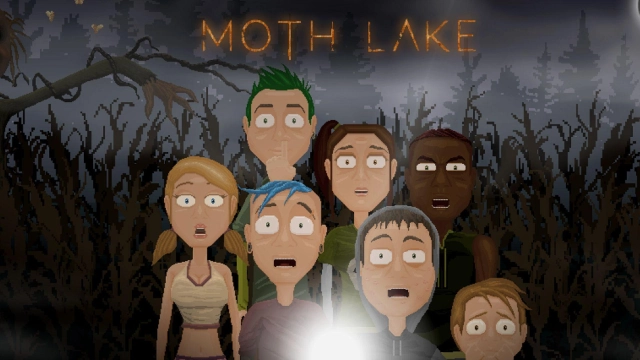
Moth Lake: A Horror Story is a horror game by Sui Arts, and it carries a dark story behind a little character. The gameplay will be based on pixel art graphics, and you will have a journey to the shadow. Nothing is peaceful as it seems from the outside because this town is full of shadows and full of darkness with many terrible secrets.


Defending Yourself through Darkness and Emotions


You carry a journey in Moth Lake: A Horror Story that will turn you into darkness, and you get a series of puzzles to solve throughout the gameplay. There will be a prompt to guide you here, and you have to carry the gameplay by searching several objects, taking some hidden objects as well, and hiding through the villages too.


What you decide to do will carry the gameplay into the progress in Moth Lake: A Horror Story, and after you have done with several puzzles, you will be put up with several choices to make too. Based on your situation, the character involvement will be changed, and this is a gameplay that will guide you through a whole set of emotions. The curiosity, suspense, excitement, as well as horror will carry throughout the entire gameplay of Moth Lake: A Horror Story.


The Best Horror Experience Taken


If you are a real fan of horror, mobile is different from the one for you in Moth Lake: A Horror Story because everything can be changed into a better thriller by taking it onto a bigger screen. Now it is possible with LDPlayer 9, and it is time to dive into a real horror with Moth Lake: A Horror Story.


Open up

Screenshots and Videos of Moth Lake: A Horror Story PC

Experience a wider field of view, exquisite game graphics, and cooler combat skills and effects by downloading and playing Moth Lake: A Horror Story on PC with LDPlayer. Enjoy the ultimate gaming experience with LDPlayer.

Why Play Moth Lake: A Horror Story on PC with LDPlayer?

LDPlayer offers unique emulator features including multi-instance support, macros, operation recorder, and other functions not available on mobile devices.

Multi-Instance & Sync

Remote Control

Custom Controls

Multi-Instance & SyncRemote ControlCustom Controls

Effortlessly clone multiple instances and initiate synchronization until you draw the desired hero before binding your account, enhancing efficiency in rerolls in Moth Lake: A Horror Story.

  • High FPS

    With support for high FPS, Moth Lake: A Horror Story's game graphics are smoother, and actions are more seamless, enhancing the visual experience and immersion of playing Moth Lake: A Horror Story.
  • Video Recorder

    Easily capture your performance and gameplay process in Moth Lake: A Horror Story, aiding in learning and improving driving techniques, or sharing gaming experiences and achievements with other players.

How to Download&Play Moth Lake: A Horror Story on PC?

  • 1

    Download and install LDPlayer on your computer

  • 2

    Locate the Play Store in LDPlayer's system apps, launch it, and sign in to your Google account

  • 3

    Enter "Moth Lake: A Horror Story" into the search bar and search for it

  • 4

    Choose and install Moth Lake: A Horror Story from the search results

  • 5

    Once the download and installation are complete, return to the LDPlayer home screen

  • 6

    Click on the game icon on the LDPlayer home screen to start enjoying the exciting game