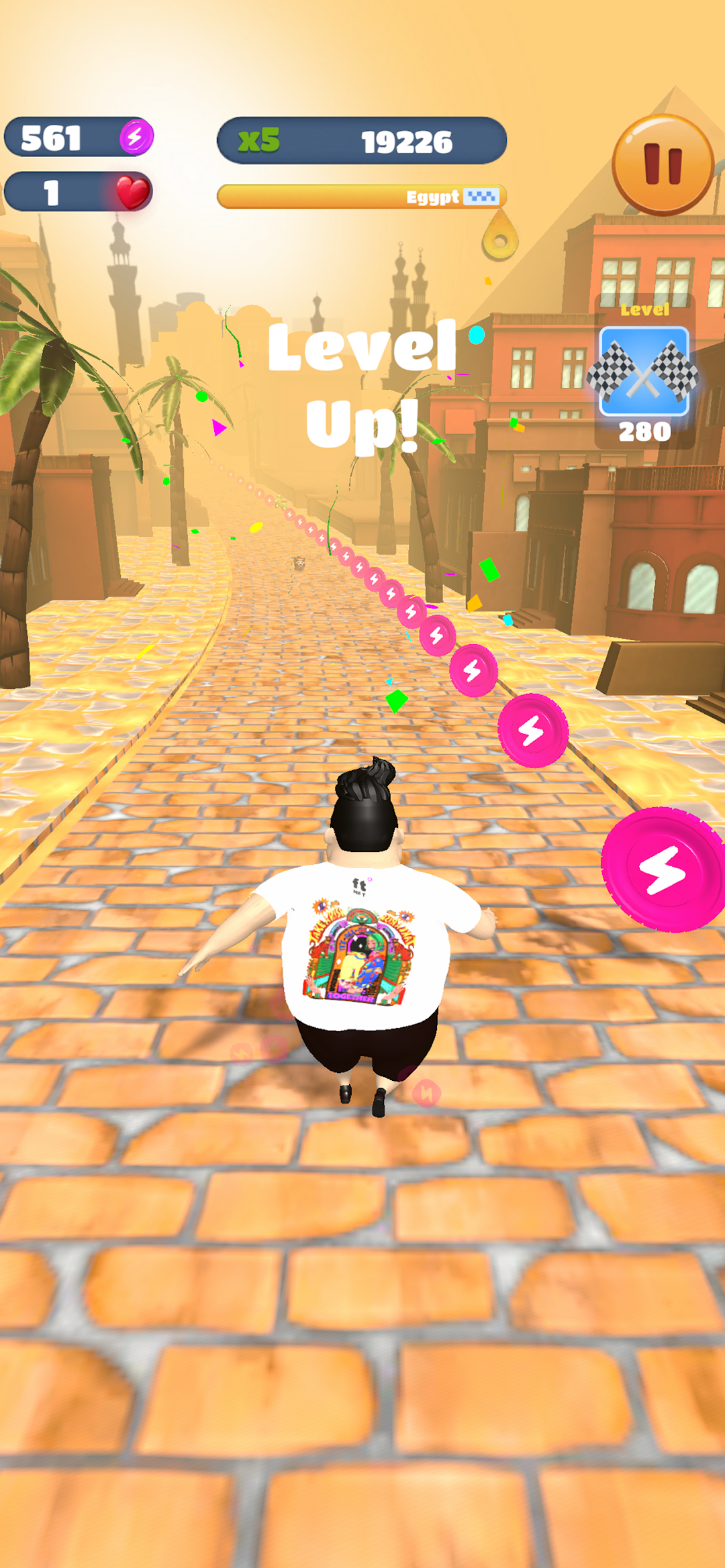
First Run is a Arcade application developed by SoftConstruct, but with the best Android emulator-LDPlayer, you can download and play First Run on your computer.
Running First Run on your computer allows you to browse clearly on a large screen, and controlling the application with a mouse and keyboard is much faster than using touchscreen, all while never having to worry about device battery issues.
With multi-instance and synchronization features, you can even run multiple applications and accounts on your PC.
And file sharing makes sharing images, videos, and files incredibly easy.
Download First Run and run it on your PC. Enjoy the large screen and high-definition quality on your PC!
Title: First Run - Dash for Digital TreasureDescription:
Step into the World of First Run – where every stride and jump is not just a move towards victory but also a chance to earn digital treasure. "First Run" combines the thrill of the chase with the innovative concept of earning FTN, a digital currency exclusive to the game. Here, your gaming prowess is rewarded with more than just high scores; it's your gateway to unlocking the digital currency of FTN.
Game Features:
Thrilling Runner Gameplay: Prepare for an adrenaline-pumping experience as you navigate through challenging terrains, dodge obstacles, and collect valuable coins, all in a bid to rack up your FTN reserves.
Earn FTN Coins: Dive into "First Run" and embark on a journey where each coin collected contributes to your FTN balance. The more you play, the more FTN you earn.
Convert Game Coins into FTN: Unique to "First Run," the coins you gather during your adventures can be seamlessly converted into FTN, enhancing your gaming experience with a rewarding twist.
Dynamic Levels & Global Leaderboards: Face ever-evolving challenges and compete with players around the world. Ascend the global leaderboards by mastering the game and maximizing your FTN earnings.
Safe & Engaging Experience: Enjoy a game designed with your enjoyment and security in mind. Engage in the exciting world of "First Run" and grow your digital wealth with complete peace of mind.
How to Get Started:
Launch Your Adventure: Jump into "First Run" and start your exhilarating journey through diverse landscapes filled with opportunities to earn.
Play, Collect, Convert: Harness your skills to collect game coins, which can be converted into FTN – offering a rewarding gaming experience.
Build Your Digital Fortune: With "First Run," your gaming achievements translate into digital wealth. Accumulate FTN and explore its potential within the game.
Join the Adventure with First Run
With "First Run," you're not just playing a game; you're embarking on a quest for digital wealth. This unique runner game rewards your dedication with FTN, allowing you to experience the thrill of the chase and the satisfaction of building your digital fortune. Download "First Run" now and take the first step on your journey to digital treasure!