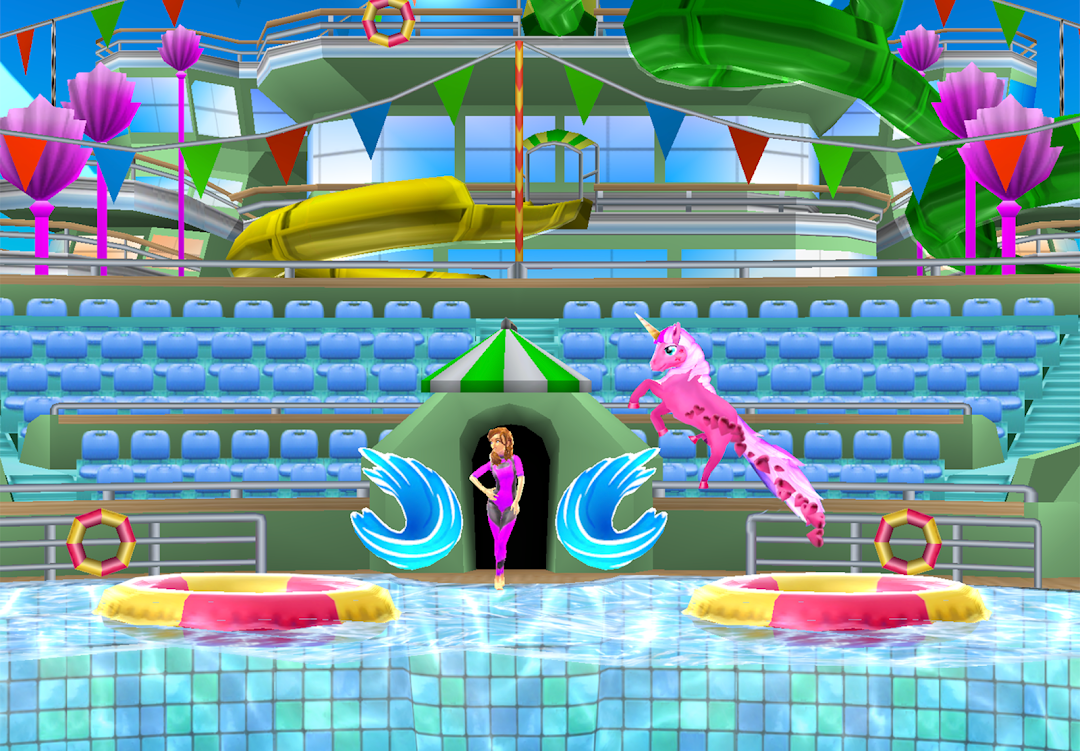
My Dolphin Show is a Casual game developed by Azerion Casual. LDPlayer is the best platform for playing My Dolphin Show on Windows PC, offering powerful features to enhance your immersive experience in My Dolphin Show.
When playing My Dolphin Show on your computer, if you find repetitive actions or tasks tedious and time-consuming, fret not! Macro can alleviate your concerns. Simply record your actions with a click of the screen recording feature and let macros take care of the rest. Macros automate your operations, allowing you to effortlessly conquer the game with minimal effort! Start downloading and playing My Dolphin Show on your computer now!
🐬 YOUR FAVORITE DOLPHIN GAME JUST GOT EVEN BETTER!Now’s your chance to become a dolphin trainer! With more than 20 million downloads, My Dolphin Show is loved by dolphin fans all over the world! Teach your dolphin incredible tricks, then put on shows that will make the audience go wild. Your performances will take you through seven awesome locations including Las Vegas and Hawaii, where you’ll get the opportunity to show off your dolphin’s new skills!
🐬 TEACH TONS OF TRICKS & CREATE YOUR OWN LEVELS
There are more than 80 tricks to teach your dolphin, including crazy corkscrews, dazzling donut jumps and a piñata smash! Pick your favorites and combine them in awesome new levels that you create yourself. It’s easy! Your levels can be played by your friends and other players from around the world. They will rate your levels and help you climb to the top of the leaderboard. Of course you can just play other players’ levels too – choose from over half a million levels that already have been created!
🐬 DRESS UP YOUR DOLPHIN!
Collect coins as you swim and dive in the pool, and use them to buy new stuff. Have you ever seen a dolphin dressed as a princess, or a cheerleader? How about a fairy, or a bride? There are tons of gorgeous outfits you can choose from to make your new dolphin BFF look fabulous. You can even pick new animals and characters, such as an orca, shark, mermaid, or even a unicorn! With more than 40 options to choose from, you’ll have endless fun!
🐬 FABULOUS FEATURES
- Safe fun for kids of all ages
- Become an expert dolphin trainer
- Perform in 7 worlds with 200+ levels!
- Teach your dolphin 80+ tricks
- Collect coins and stars!
- Create your own levels!
- Choose from 500,000+ levels created by other players
- Pick from 40+ outfits to dress up your dolphin
- Play with crazy new characters
- Enjoy amazing HD graphics
- Play anytime, anywhere, no wi-fi needed
This game for girls and boys of all ages is free to play. So, are you ready to wow audiences worldwide with the tricks you’ve taught your favorite animal? Dive straight in!
PRIVACY POLICY
https://spilgames.com/mobile-apps-privacy-notice/
TERMS OF USE
http://www.spilgames.com/terms-of-use/