

Nicoo is a Action game developed by Naviemu.inc, and LDPlayer is the best platform for playing Nicoo on PC, offering powerful features to immerse you in the game.
When playing Nicoo on computer, you can adjust frame rate settings for smooth gameplay and stunning visuals.
LDPlayer also provides pre-configured keyboard mapping for convenient control of the entire game. Continuous optimization of keyboard mapping enhances key sensitivity and skill accuracy. Additionally, LDPlayer offers special buttons like shoot, hide mouse, and continuous key press for an enhanced gaming experience.
If you prefer using a gamepad, the automatic gamepad detection allows you to customize controls with just a few clicks, enabling you to freely maneuver your hero. Start downloading and playing Nicoo on your computer now!
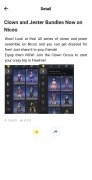
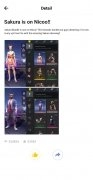
Free Fire players do not have the option to stop by the in-game store to get tactical advantages in the game, such as better weapons, or improved character capabilities, such as increased speed or better-aiming. However, they have access to skins to customize their characters and make them distinct from other players.
Unlock all Free Fire skins
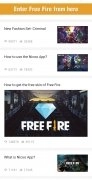
The Nicoo app is similar to others you will find for Mobile Legends. It lets players discover skins for the game's characters and helps you change attributes within the game. Usually, players must recharge diamonds to buy clothes, weapons, and other items. With Nicoo, you can unlock all the Free Fire Garena skins in just one click and enjoy a premium experience.
A fantastic app to enjoy mobile gaming without any barriers.
It goes without saying that you need to have Free Fire on your device and install this app. Open the game through the Nicoo app by clicking the button you will find on its interface. You will see all the skins in a floating window and will be able to choose the ones you want to see in the game once you reload it again.
Main features
According to the developers of the service, Nicoo is:
- Trustworthy: it offers free skins for Free Fire efficiently.
- Secure: users do not need additional permissions or root to use this app.
- Convenient: it offers a premium experience without additional costs.
- Considerate: it is open to fans of the game from all regions of the world.
- Easy to use: it does not require any programming knowledge on the user's part.
- Open: the developers welcome any advice or feedback on their service.
Obviously, this is not an official application and has nothing to do with Free Fire. So don't panic if you find yourself banned from the game, as this is what may happen if it is found that you have suspicious usage... this can happen with any new Free Fire update.
What's new in the latest version
- Improved user experience.
Requirements and additional information:
- The installation of the app by means of the APK file requires the activation of the "Unknown sources" option within Settings>Applications.