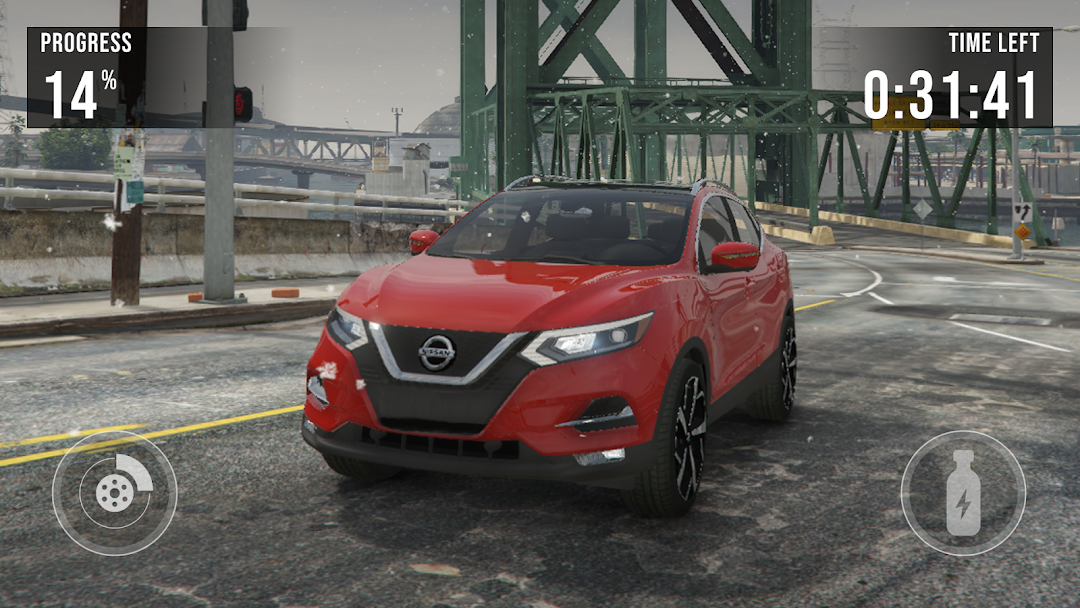
Nissan Rogue: City Car Driving is a Simulation application developed by Blue Boys Games, but with the best Android emulator-LDPlayer, you can download and play Nissan Rogue: City Car Driving on your computer.
Running Nissan Rogue: City Car Driving on your computer allows you to browse clearly on a large screen, and controlling the application with a mouse and keyboard is much faster than using touchscreen, all while never having to worry about device battery issues.
With multi-instance and synchronization features, you can even run multiple applications and accounts on your PC.
And file sharing makes sharing images, videos, and files incredibly easy.
Download Nissan Rogue: City Car Driving and run it on your PC. Enjoy the large screen and high-definition quality on your PC!
Experience different modes of realistic driving simulator regimes with the new Nissan Rogue on your Android device. Experience the extraordinary strength of crossovers engines and adaptability of this vehicle over crowded traffic roads, rugged mountains and marshy jungles in off road modes right now! Simply just drive out this SUV on a steep asphalt race track to enjoy a real atmosphere of free ride racing games 🚘.️In Nissan Car Simulator you will have to test your new japanese crossover and go around the world off-road trip in the open world, completing tasks and improving your motor, you will experience all the delights of off-road rally car games, performing crazy stunts, jumping from springboard, pulling other members out of the swamps is what you love and discover new regions of open world, like New York, London, Tokyo, Berlin🏎️.
In the game's realistic car tuning section, you may alter your vehicle in a variety of ways, from simple coloring to engine replacement, motor tuning, suspension modifying, and even building a lowrider. As an alternative, you could just paint your Volkswagen Touareg any color you choose and wrap it in chic race vinyls 🚘.
🏁Features of Rally drift racing Nissan Rogue SUV🏁:
🏎️ SUV’s customization and setup (rims, body color, suspension, camber, etc.)
🏎️ Realistic and beautiful HD graphics
🏎️ Cool speed cars drive physics
🏎️ Realistic automobiles damage physics
🏎️ Lots of exciting off-road and city real parking tasks
🏎️ Opportunity to obtaining a license in a driving school
🏎️ Transmission settings for automatic and semi-automatic
🏎️ Highly intelligent traffic system
🏎️ Large selection of Nissan vehicles
🏎️ Hand brake system
🏎️ Huge open world with cool map
🏎️ Real engine sounds, tire squeaks, and headwinds
️In the Real Parking Simulator, feel the might of a powerful and really cool Nissan Rogue crossover. Complete all the challenging stages, and race online with your friends to 4x4 full speed races in ultimate car driving simulator.