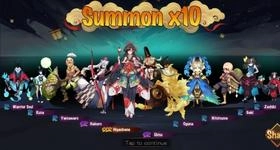
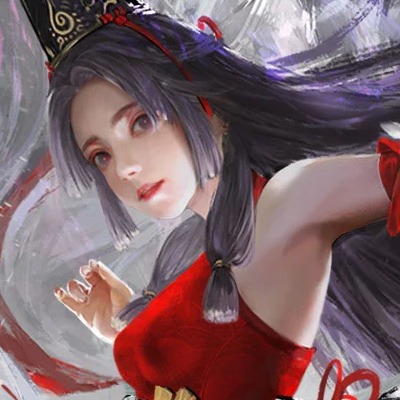
Onmyoji Arena is a Strategy game developed by NetEase Games, and LDPlayer is the best platform for playing Onmyoji Arena on Windows PC, offering powerful features for an immersive experience.
When playing Onmyoji Arena on your computer, you can enjoy long game sessions using the operation recording feature to record repetitive operations to complete the same tasks automatically. It allows you to level up faster and makes resource grinding much more efficient.
In addition, if you want to execute combo moves or the game requires repeated skill actions, the macro feature is your best helper. It enables you to complete kills with just one click!
If you want to manage multiple accounts, LDMultiplayer and Synchronizer will assist you. You can run multiple alternative accounts at the same time to assist the leveling of your main account. Download and play Onmyoji Arena on PC with LDPlayer now!
[Game Introduction]Immerse yourself in the battle experience, the character story on the battlefield! "Onmyoji Arena" is a 5v5 Shikigami competitive battle mobile game under the Onmyoji IP.
Here, you are not just an observer of the Shikigami story; forge a contract with your desired Shikigami, unleash the unique skill combinations of the Shikigami, activate Shikigami bond tactics and synergies, and on the ever-changing Heian-kyo battlefield, enact the shining moments between you and your Shikigami, unlocking parallel universe Shikigami lives!
Come and join the hundreds of Shikigami cubs in Heian-kyo, and create your brand-new story on the MOBA battlefield!
[Game Features]
- Phenomenon-level mobile game "Onmyoji" IP, creating a parallel world of Shikigami
- Fight side by side with over a hundred Shikigami, create your brand-new story in MOBA matches
- Bonds as blades, Casual Match, activate diverse Shikigami synergies in matchmaking, bringing more fun to the classic competitive battles
- Explore the fun gameplay modes like Cute Pair-Up, Demon Encounter, Shikigami Brawl, Mix-up Fight in Hazama, Mahjong Fight, and more
- Achieve map symmetry, say goodbye to 1v2
- Larger battle maps and Fog system, more visually appealing team cooperation
- Masterfully crafted voice acting in Chinese, Japanese, and English, immerse yourself in the audiovisual feast
Please follow our official fan page for more details!
Facebook Hong Kong, Macao and Taiwan Page: https://www.facebook.com/OnmyojiarenaTW/photos/?ref=page_internal
Facebook English Page: https://www.facebook.com/Onmyojiarena/
Facebook Vietnam Page: https://www.facebook.com/on.dzogame
Twitter Japanese Page: https://twitter.com/onmyojiarenaJP
Official TIKTOK: https://www.tiktok.com/@onmyojiarenaen