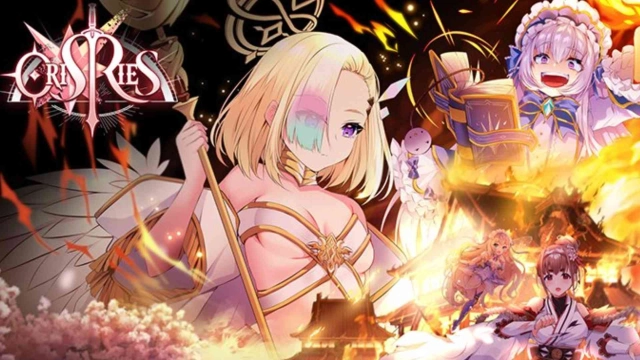
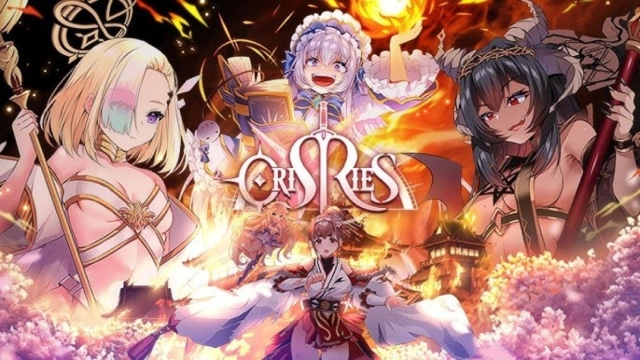
Orisries breaks new ground as the world’s first adult-oriented strategy game, blending detailed resource management, hero collection, and strategic warfare. You can step into the role of a commander aiming to conquer and expand your nation, all while enjoying the game’s unique blend of gameplay and storytelling. With LDPlayer, you can elevate this experience, unlocking enhanced features and smoother gameplay for a richer adventure.
High-Quality Visuals for Enhanced Interactions
Beyond the strategic battles, Orisries offers captivating love stories and interactions with its beautifully designed characters. Intimacy levels play an important role in strengthening your heroes for combat, and the detailed character designs and dynamic environments deserve to be experienced in high-definition. LDPlayer takes the game’s graphics to the next level, delivering crystal-clear visuals and seamless animations. This immersive clarity makes every moment, from battles to personal interactions, more engaging and enjoyable.
Streamline Resource Farming for Rapid Growth
Building a powerful nation in Orisries requires efficient resource management. Whether it’s constructing barracks, councils, or other facilities, your alliance: be it Berserkers, Riflemen, or Shinobi, relies on a well-established infrastructure. LDPlayer’s Operation Recorder feature simplifies resource farming by automating repetitive tasks. Record an instance of resource gathering once, and let LDPlayer handle the rest on a loop, allowing you to focus on expanding your territory and developing your heroes without unnecessary manual effort.
Uninterrupted Gameplay for Strategic Focus
Smooth gameplay is essential in a game like Orisries, where commanding troops and managing intimacy levels demand extended play sessions. Mobile devices often struggle with performance issues like lags, crashes, or battery limitations, especially on low-end devices. LDPlayer eliminates these concerns by providing a stable gaming environment free from interruptions. With no distractions from notifications or battery worries, you can fully concentrate on executing strategies and enjoying the game’s depth.
So, get ready to dominate the world of Orisries. Enhance your journey today by playing on PC with LDPlayer, where better features and a seamless experience await. With LDPlayer, you gain superior graphics, efficient resource management tools, and uninterrupted performance, creating an optimized Orisries experience. It can be about building alliances, managing resources, or exploring the game’s unique storylines, LDPlayer ensures you do it all with ease and precision.