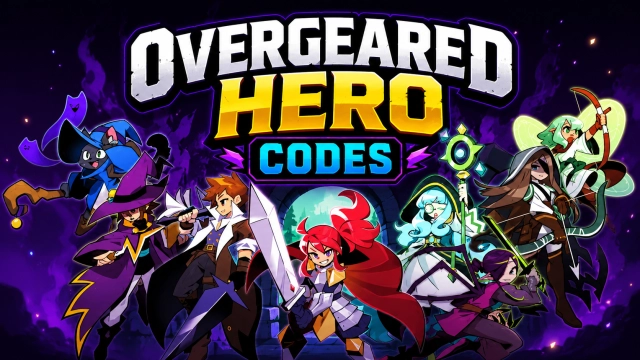
Overgeared Hero: Merge RPG is a Strategy game developed by 5minlab Corp., and LDPlayer is the best platform for playing Overgeared Hero: Merge RPG on Windows PC, offering powerful features for an immersive experience.
When playing Overgeared Hero: Merge RPG on your computer, you can enjoy long game sessions using the operation recording feature to record repetitive operations to complete the same tasks automatically. It allows you to level up faster and makes resource grinding much more efficient.
In addition, if you want to execute combo moves or the game requires repeated skill actions, the macro feature is your best helper. It enables you to complete kills with just one click!
If you want to manage multiple accounts, LDMultiplayer and Synchronizer will assist you. You can run multiple alternative accounts at the same time to assist the leveling of your main account. Download and play Overgeared Hero: Merge RPG on PC with LDPlayer now!
"🎒 Pack your backpack, build your power - Overgeared Hero is the pixel roguelike auto-battler where every item placement decides the fight.In Overgeared Hero, you collect rare, epic, and legendary gear, merge duplicates into stronger versions, and arrange them in your backpack to unlock powerful synergies. Then your hero auto-battles based on the build you designed. Every run is different, every backpack tells a different story.
💡 Pro tips before you start:
- Item placement is everything. Plan your backpack like a chessboard.
- Train your pets. They pull their weight in every fight.
- Chase the epic and legendary items. Class-specific gear changes everything.
KEY FEATURES
🎒 Merge, Build, Battle
- Merge duplicate items to evolve them into epic-tier gear
- Arrange your backpack to unlock attack and defense synergies
- Combine gear, pets, and class skills into unique combat builds
- Watch your auto-battles play out based on your strategy
⚔️ A Real Pixel Roguelike Auto-Battler
- Procedural roguelike runs with fresh challenges every time
- Auto-battles driven by your backpack design, not luck
- No two runs are the same
- Quick sessions, deep replayability
🧙 Heroes, Pets, and Class Builds
- Pick a class that fits your playstyle
- Train pets that fight alongside you
- Unlock rare and legendary gear as you progress
- Expand your backpack and refine your build
🏆 Compete and Climb
- Test your build against other players in PvP
- Smart backpack design beats raw power, every time
- Climb the leaderboards and prove your strategy
🎨 Retro Pixel Style
- Beautiful retro pixel art with modern combat feel
- Easy to start, deep to master
- Designed for short sessions and long obsessions
If you love merge games, roguelike runs, auto-battlers, or backpack strategy, Overgeared Hero is your next obsession.
Download Overgeared Hero now and start your run!"