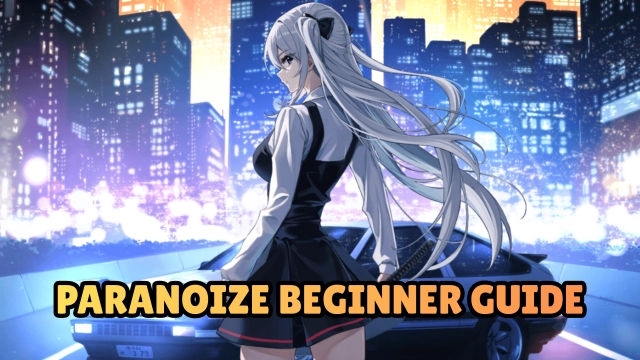
Paranoize is a Role Playing game developed by ZigZaGame Inc., and LDPlayer is the best platform for playing Paranoize on Windows PC, offering powerful features for an immersive experience.
When playing Paranoize on PC, as a new player looking to start with a fresh account, the multi-instance and sync features are extremely useful for rerolls. You can use them to run multiple instances and begin the synchronization process. Bind your account until you draw the desired heroes.
In addition, operation recorder is great for games that require you to level up and complete tasks! Run the sync and record your actions, then repeat the main instance's actions in real-time. By doing so, you can run 2 or more accounts simultaneously. You can always get the heroes you want before others by faster rerolls and more efficient summoning! Start downloading and playing Paranoize on your computer now!
Eleven years after a mysterious, colossal object fell into the mountains of Japan, destiny stirs once more. In a secluded dojo, a blind youth trains with his wooden sword, driven by a voice only he can hear.An all-star cast brings the story to life in a fully voiced animated series.
Step into the forefront of the comics and manga experience—
The Age of Cinematic Comics is here.
*Use of headphones or earphones is recommended for optimal experience.
◆Cast (Japanese Voice Actors)
Junya Enoki Mariya Ise
Miyu Tomita Chika Anzai
Takahiro Sakurai Tomori Kusunoki
Sayaka Sembongi Takuya Eguchi
Marina Inoue Yuki Ono
Show Hayami Shizuka Itoh
Yoko Hikasa Yume Miyamoto
Koki Uchiyama Shion Wakayama
Yoshimasa Hosoya Mamiko Noto
Shin-ichiro Miki Yoji Ueda
Tomokazu Seki Hikaru Tono
Asami Seto Tarusuke Shingaki
Kenji Hamada Yasuhiro Mamiya
Kosuke Kiminarita Akihiro Tajima
Fumiya Imai Naoyuki Shimozuru
Mutsuki Iwanaka Jun Yokoyama
Shuma Kono Tatsumaru Tachibana
Taito Ban Saima Nakano
Nene Hieda Mikoi Sasaki
Yui Kondo Chiyuki Miura
Kanna Nakamura Ami Matsushima
Riho Sugiyama Shinichiro Ota
Nobutoshi Canna Hiromichi Tezuka
Yu Miyazaki Shuichi Uchida
Tomoya Ito Shohei Tabuchi
Ryosuke Kanemoto Taro Yamaguchi
Yoshinori Sonobe Hiroshi Tsuchida
Hiroo Sasaki Takaki Otomari
Keita Tada Mitsuaki Kanuka
◆Cast (English Voice Actors)
Joshua Collins Morgan Cambs
David Menkin Janine Harouni
Joshua Wichard Jess Nesling
Rebecca LaChance Rebecca Hanssen
Kosha Engler Holly Earl
Rebecca Hayes Samantha Dakin
Laurence Bouvard Jules de Jongh
Kerry Gooderson Ben Starr
Josh Cowdery Joseph May
Nathan Nolan Matthew Curtis
Stefan Trout Luke Francis
Gregg Lowe
◆Music
Naoki Satō
◆English Translation & Editing
Sean Easley Jeff Hart
Kate Nascimento ZigZaGame
◆English Lettering
AndWorld Design MediBang! ZigZaGame
◆Official X (for latest updates):
https://x.com/paranoizeen
◆Terms of Service:
https://zigzagame.com/terms/