

Phantom Reign: Soulbinder is a Role Playing game developed by Candle Light Gaming, and LDPlayer is the best platform for playing Phantom Reign: Soulbinder on Windows PC, offering powerful features for an immersive experience.
When playing Phantom Reign: Soulbinder on PC, as a new player looking to start with a fresh account, the multi-instance and sync features are extremely useful for rerolls. You can use them to run multiple instances and begin the synchronization process. Bind your account until you draw the desired heroes.
In addition, operation recorder is great for games that require you to level up and complete tasks! Run the sync and record your actions, then repeat the main instance's actions in real-time. By doing so, you can run 2 or more accounts simultaneously. You can always get the heroes you want before others by faster rerolls and more efficient summoning! Start downloading and playing Phantom Reign: Soulbinder on your computer now!
For generations, the tranquil realm of Ertos thrived in serenity. That is, until the malevolent Demon Lord Morganter descended upon Kairasia, unleashing an era of terror that teetered the world towards annihilation. The might of the Demon Lord was unmatched, leading to the people's relentless defeats.Yet, in their darkest hour, the gods heeded the cries from Ertos. The Goddess of the Initial Fire descended, reigniting a glimmer of hope in humanity's heart.
Guided by divine forces, heroes now stand united for a final confrontation with Morganter…
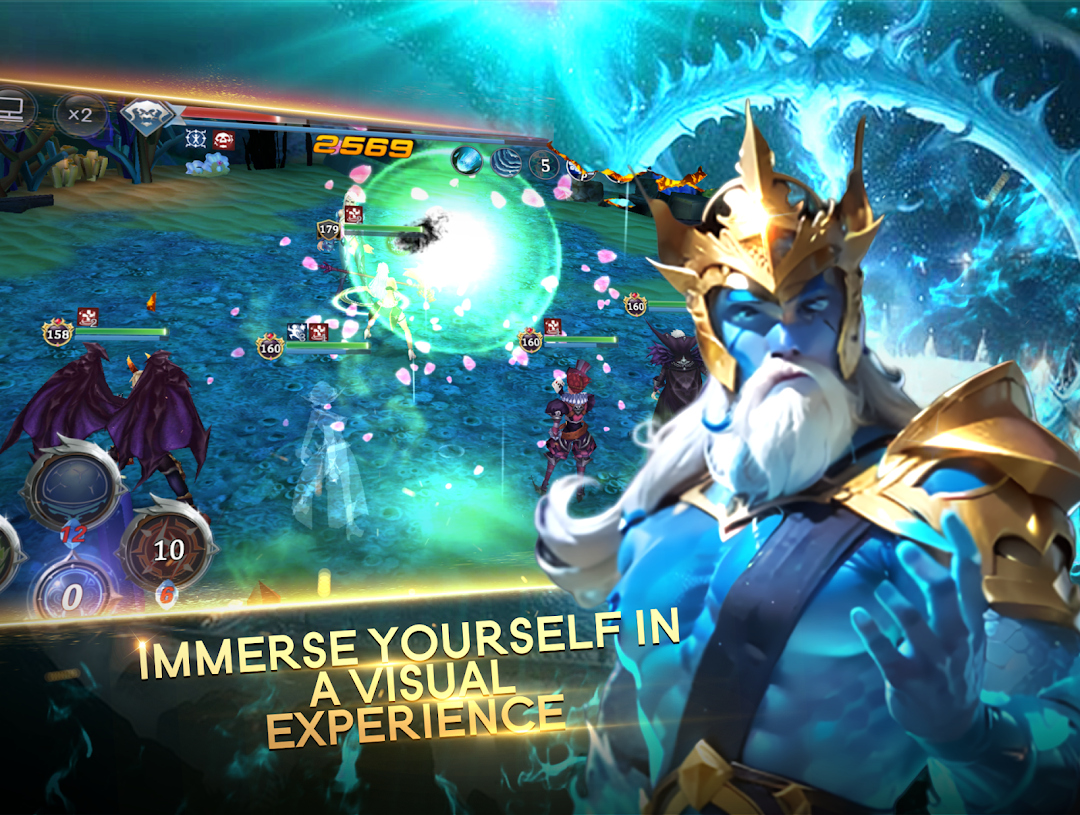
CAPTIVATING STORY & STUNNING 3D REALM
◆ Immerse in Kairasia's unique saga through hundreds of original cutscenes.
◆ Forge your destiny with a dynamic story choice system.
◆ Join forces with legendary characters and lead them in battle.
◆ Explore an expansive MMO world, brought to life with breathtaking 3D visuals.
COMMAND & EMPOWER PHANTOMS
◆ Summon formidable heroes, known as phantoms, to your side.
◆ Collect a diverse array of phantoms, each boasting distinct abilities and appearances.
◆ Strategically assemble the ultimate team for tactical warfare.
◆ Elevate your phantoms through leveling, evolving, and enhancing, mastering the art of phantom command.
A CLASSIC RPG ADVENTURE WITH EPIC PVE & PVP
◆ Choose from 18 weapon types, each with specialized skills for combat.
◆ Tackle challenging PVE dungeons demanding teamwork and strategy.
◆ Collaborate with allies to conquer formidable bosses and secure extraordinary rewards!
◆ Engage in global, strategic turn-based battles against real players. (coming soon)
RICH SOCIAL INTERACTIONS
◆ Connect with players globally through real-time chat.
◆ Form or join guilds with memorable names and shared goals.
◆ Experience a unique summoning system with others in a pentagram formation.
◆ Battle alongside guildmates against mighty guild bosses in thrilling confrontations.
Your courage is needed, brave phantom master! The fate of the world hangs in the balance. Download Phantom Reign: Soulbinder now!
Note: An internet connection is required to play Phantom Reign: Soulbinder. The game is free to download and play, but some in-game items can be purchased with real money. To disable in-app purchases, adjust your device's settings.
This app includes social features to connect and play with friends and push notifications to keep you informed about exciting events and new content in the game. Use these features as you wish.