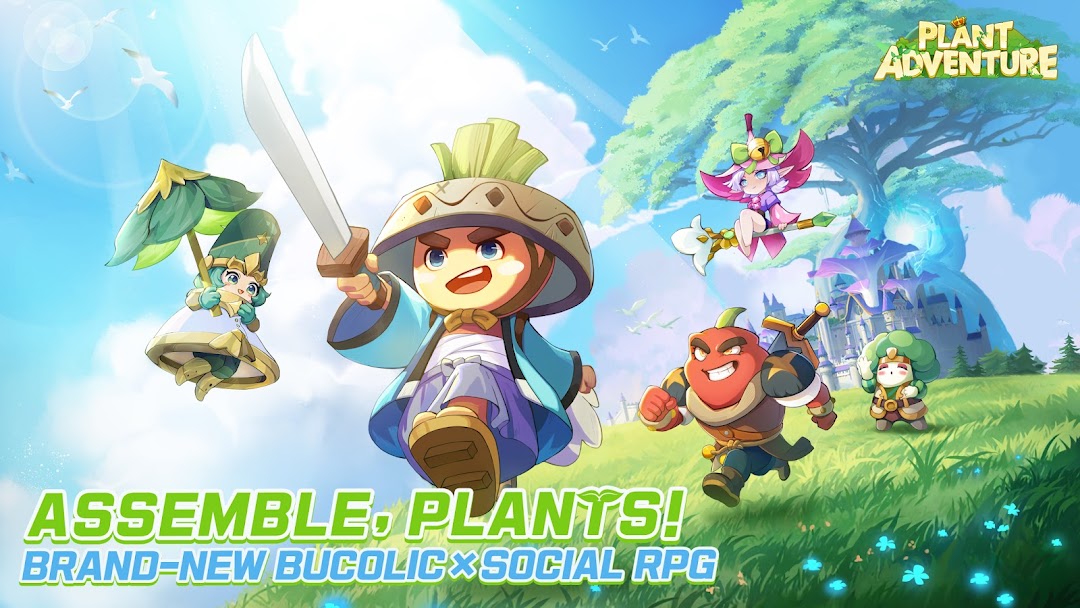
Plant Adventure is a Role Playing game developed by FIREPIG LIMITED, and LDPlayer is the best platform for playing Plant Adventure on Windows PC, offering powerful features for an immersive experience.
When playing Plant Adventure on PC, as a new player looking to start with a fresh account, the multi-instance and sync features are extremely useful for rerolls. You can use them to run multiple instances and begin the synchronization process. Bind your account until you draw the desired heroes.
In addition, operation recorder is great for games that require you to level up and complete tasks! Run the sync and record your actions, then repeat the main instance's actions in real-time. By doing so, you can run 2 or more accounts simultaneously. You can always get the heroes you want before others by faster rerolls and more efficient summoning! Start downloading and playing Plant Adventure on your computer now!
[Fresh plants revitalize in fantasy garden!]Landscape of spring flowers wake up the dormant plants - Plant Adventure integrates natural painting style and tone into watercolor pastoral, presenting a fresh and organic figures. Popular stories between a variety of plant characters will satisfy all visual experience.
[Collect unique plants heroes and unlock their ultimate skills! ]
Assemble plants to become stronger - Unlock home-grown plants heroes through "Garden Harvest", collect organic essence and enjoy delightful skills effect brought by plant awakening!
[Team up with the plant heroes and friends to defeat your enemies!]
Battle against powerful rivals and conquer the field - Set up a guild, fight alongside guildmate to defeat new opponents. Collect upgraded items and guild treasures, jointly raise the guild tree to develop the plant kingdom. Survive with guildmate, and work together to challenge the boss of the plant world!
[Interesting strategy battle and fight for your glory! ]
Strategically select the smartest plants lineup - With organic tactics such as block,evasion and element restraint,also fresh plant essence so that the original characters of the plant system are more diversified.Select the smartest plants lineup to defeat your enemy in limited time!
[Explore the wonderful world, unlock more secrets! ]
Wandering in the fields, looking for mysteries - Explore the dreamlike scenes such as "Forbidden Forest", "Mutant Garden", "Hedge Altar", "Glass Temple", and get to know plants heroes along the way. It’s time to reveal the secrets of the old kingdom and fallen heroes!