Point Salad | Combine Recipes is a Board application developed by Mipmap Digital, but with the best Android emulator-LDPlayer, you can download and play Point Salad | Combine Recipes on your computer.
Running Point Salad | Combine Recipes on your computer allows you to browse clearly on a large screen, and controlling the application with a mouse and keyboard is much faster than using touchscreen, all while never having to worry about device battery issues.
With multi-instance and synchronization features, you can even run multiple applications and accounts on your PC.
And file sharing makes sharing images, videos, and files incredibly easy.
Download Point Salad | Combine Recipes and run it on your PC. Enjoy the large screen and high-definition quality on your PC!
Turn your kitchen into a playground with Point Salad - the delightful digital take on a fast-paced, card-drafting, family board game! Craft the ultimate salad by snagging carrots, tomatoes, lettuce, onions, cabbages, or peppers, and customize it to perfection based on unique recipe requirements.In the world of Point Salad, veggies and recipes are your key ingredients. Every recipe comes with its own scoring rules, so whether you're stockpiling tomatoes or aiming for a well-balanced mix, it's all about the recipes you snag. It's a lively, family-friendly game that's now available for fun battles against friends and family online, or even against salad-lovin’ AI opponents!
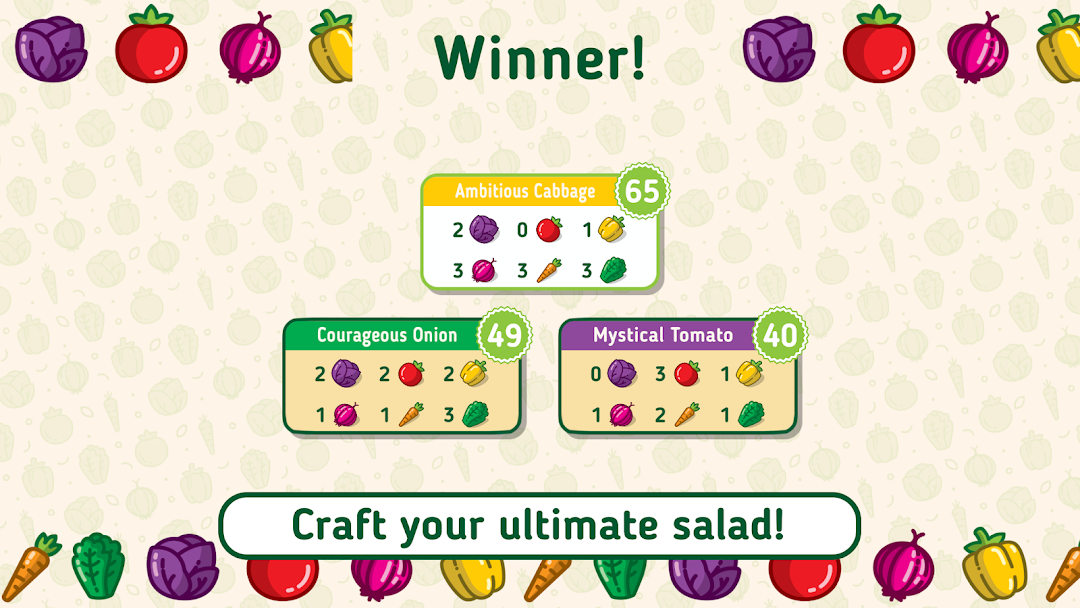
On each turn, dive into the market and choose between 2 fresh veggies or a tempting recipe. The market refreshes, and your opponents join the veggie hunt. Multiple recipes can make use of the same veggie so strategize to collect the perfect combo. The game wraps up when all veggies and recipes are gathered, and the crowned champion is the one with the most points. Let the salad showdown begin!
FEATURES:
• Cross-platform online multiplayer!
• Private online games with friends
• Synced progress across all your devices. Play online game on one device, continue on another!
• Play against AI (or multiple AIs!)
• Local multiplayer with friends on the same device
• Tutorial
LANGUAGE:
English
AWARDS & HONORS:
• 2023 Guldbrikken Best Family Game Nominee
• 2021 Spiel des Jahres Recommended
• 2020 Origins Awards Best Card Game Winner
• 2020 Nederlandse Spellenprijs Best Family Game Winner
• 2020 5 Seasons Best International Card Game Winner
© 2024 Mipmap, under license from Alderac Entertainment Group (AEG).
Point Salad © 2019 Alderac Entertainment Group (AEG)