
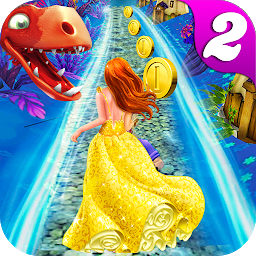


Princess Escape Run 2 is a Arcade application developed by Professional Gaming Art, but with the best Android emulator-LDPlayer, you can download and play Princess Escape Run 2 on your computer.
Running Princess Escape Run 2 on your computer allows you to browse clearly on a large screen, and controlling the application with a mouse and keyboard is much faster than using touchscreen, all while never having to worry about device battery issues.
With multi-instance and synchronization features, you can even run multiple applications and accounts on your PC.
And file sharing makes sharing images, videos, and files incredibly easy.
Download Princess Escape Run 2 and run it on your PC. Enjoy the large screen and high-definition quality on your PC!
Princess Run Temple Dragon Escape 2Sequel to a super hit game, Princess Run Temple Dragon Escape 2 is an endless run game with some exceptional features. This endless princess run game provides a unique opportunity for you to show your skills by helping the princess to escape the temple. Princess run will be under your control, when you play this game. So, this is your chance to be her rescuer and help her safely reach her home. The main enemy in this game is the dragon. Escape him by running through the temple and save princess’s life; one mistake on your part and her life will be in danger.
Temple Escape
The game is based in a temple where the princess will have to escape the dragon. There will be obstacles in her way, which you will have to dodge. If the princess hits an obstacle, the dragon with catch her. The exceptionally appealing graphics will give the real feel of the temple. Escape it using easy controls so that the beautiful princess can be saved from the deadly dragon.
Rewards
During this queen run game, you can collect the rewards that will be available in the form of coins while escaping the dragon and clearing the hurdles. The more coins you will collect, the more score you will get that you can flaunt proudly among your friends.
Dynamic Graphics
This princess running game has dynamic graphics that will surely keep you hooked to it. The feel and look of the temple and the dragon is authentic due to superior graphics.
Thrilling Sound Effects
The game has thrilling and captivating sound effects that further increase the fun of the game and make it much more exciting to play.
Exciting Gameplay
Princess Run Temple Dragon Escape 2 surpasses the gameplay of its prequel as the excitement level of this game reaches new height because of its astonishing gameplay. There are new challenges to meet that will ensure more fun and excitement.
Easy Controls
The game is very easy to control, which makes it suitable to be played by people of all ages. It has its own set of challenges to keep the player captivated. You can play this endless princess run game for hours and still not get bored.
So, don’t keep the princess waiting. Download this game now and enjoy its exciting gameplay.







