Wanna play a Ragnarok game? Then you have Ragnarok: Monster World in your hands, in a world that allows you to battle, enjoy a perfect thrill, and have more combinations and strategies to reach power. Now you can download Ragnarok: Monster World on PC for sharp and optimized gaming time and the most enhanced gaming time through LDPlayer. LDPlayer guarantees to provide you with the next level of gaming here, so if you don’t know how to play Ragnarok: Monster World on PC, here is how you can do it.
What is Ragnarok: Monster World?
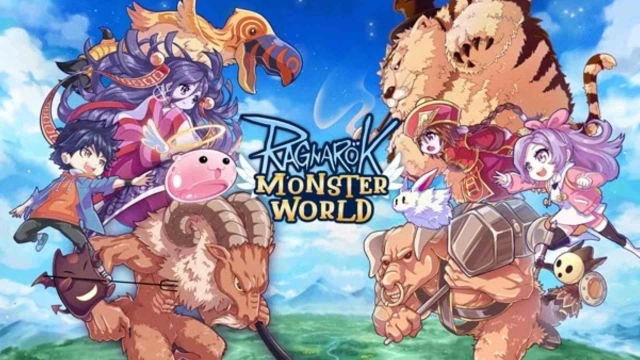
Ragnarok: Monster World is a new real-time strategy game that is based on the amazing universe of Ragnarok, and it is a game with battles, strategies, and many more. In this game, you’ll collect and summon powerful monsters to create a team, and this created team can be used to battle against opponents in thrilling 1v1 duels. The world of Ragnarok comes alive with vibrant characters. Ragnarok: Monster World makes sure to offer an engaging story filled with adventure and tactical challenges. As a player, you must carefully manage your resources and monsters, as that is how you can outsmart your enemies and climb the ranks.
The game offers several unique key features that allow you to keep on playing. You, as the player, can collect and upgrade a wide variety of monsters, and these monsters can be combined in endless ways to form a powerful battle deck with their amazing skills and strength levels. The game also includes a rich progression system where you can continuously strengthen your team through upgrades and strategic combinations, and every part of this gameplay captures the charm of the Ragnarok universe. The whole gameplay is mixed with strategy, action, and real-time battles, and Ragnarok: Monster World makes sure to offer you a fresh experience with its fun, fast-paced mechanics and immersive world.
Ragnarok: Monster World is an amazing, visually enhanced game with colorful features. On the other hand, you will have to go through its gacha system repeatedly to earn the superior hero you ever want. So, in order to enjoy the best of what Ragnarok: Monster World game offers and earn your best characters quicker than ever, now you can rely on LDPlayer.
Why Play Ragnarok: Monster World on PC with LDPlayer?
LDPlayer is an Android emulator that allows you to play mobile games like Ragnarok: Monster World on your PC with more added features and enhancements. So, the benefits of playing Ragnarok: Monster World on your PC through LDPlayer are as follows.
Vibrant Gaming Visuals – LDPlayer enhances your gameplay with top-notch visuals that bring every element of the game to life. The detailed graphics are displayed on a larger screen, providing a more immersive and realistic gaming experience. The vibrant colors, sharp textures, and crystal-clear visuals make every moment of gameplay more engaging and enjoyable. Say goodbye to blurry images or annoying visual distractions—LDPlayer ensures every aspect of the game is shown in perfect clarity. Furthermore, it offers customizable graphic settings, allowing you to optimize visuals based on your device’s specifications, ensuring you always get the best performance.
Faster Hero Summoning – With LDPlayer, summoning your favorite heroes is faster and more efficient than ever. Thanks to its Multi-Instance Sync feature, you can run multiple instances of the game simultaneously, allowing you to manage several accounts at once. This not only speeds up the entire hero summoning process but also greatly improves your chances of obtaining rare and powerful characters. By pulling heroes across different accounts at the same time, your likelihood of acquiring those elusive top-tier heroes increases significantly. Plus, you save a lot of time and effort, making the whole process smoother and far more efficient.
Seamless Gaming Performance – LDPlayer ensures a smooth and uninterrupted gaming experience, eliminating common problems like lag, crashes, and performance drops. Whether your game requires high system resources or features large file sizes, LDPlayer handles it effortlessly. Its advanced memory management ensures that the game runs seamlessly without freezes or technical issues that could disrupt your gaming flow. You can enjoy long, continuous play sessions without worrying about interruptions, giving you an optimal and enjoyable gaming experience every time.