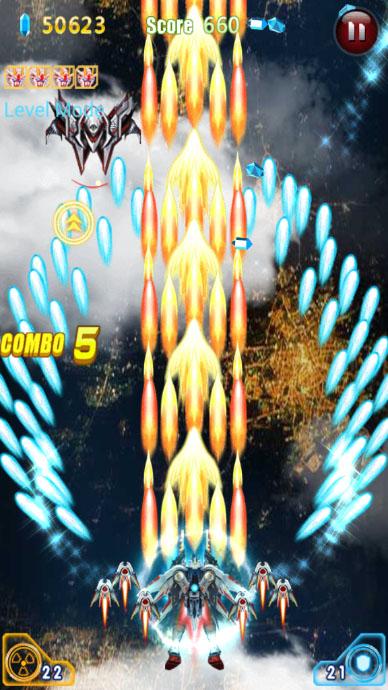
Raytheon Fighter is a Arcade application developed by AnjunSang, but with the best Android emulator-LDPlayer, you can download and play Raytheon Fighter on your computer.
Running Raytheon Fighter on your computer allows you to browse clearly on a large screen, and controlling the application with a mouse and keyboard is much faster than using touchscreen, all while never having to worry about device battery issues.
With multi-instance and synchronization features, you can even run multiple applications and accounts on your PC.
And file sharing makes sharing images, videos, and files incredibly easy.
Download Raytheon Fighter and run it on your PC. Enjoy the large screen and high-definition quality on your PC!
Alien enemies attack the earth in 2035, Have you ever imagined that join air force and save the world? Have you dreamed that you can fly between enemy spaceship’s barrage without being hit just like an ace pilot?Now it’s will be possible in Raytheon Fighter!You can create a Galaxy Airforce Squadron and Shoot’em up! We provide you plenty kinds of spaceship and lots of deadly BOSS to fight with. Go and see the colorful graphics and beautiful pictures of planes in Raytheon Fighter.
Raytheon Fighter have wonderful real experience, smart control space, super cool air combat! There are crazy Pa cool hanging flying clan, there are cool gorgeous full-screen barrage, there are epic movie-like gorgeous effects, smoke filled the battlefield, the hot air war horn again sounded! Fighters have been ready to go, it is time to show the real technology, Play more fun than Thunder Striker!
True 2.5D simulation flight games, unprecedented simulated flight games! Super 2.5D vision, the impact of your eye! Come join in the global air combat! Control your little egg machine, crush the enemy! In the perfect 2.5D space to enjoy the same visual effects!
#Features
1, Popup subtitles to screen
2, Multiple fighting modes
3, Zodiac collection system
4, Super multi-BOSS
5, Fighter Enhancement System
6, All props are free, Unlimited diamonds
#
FaceBook https://www.facebook.com/Raytheon-Fighter-141769109735374