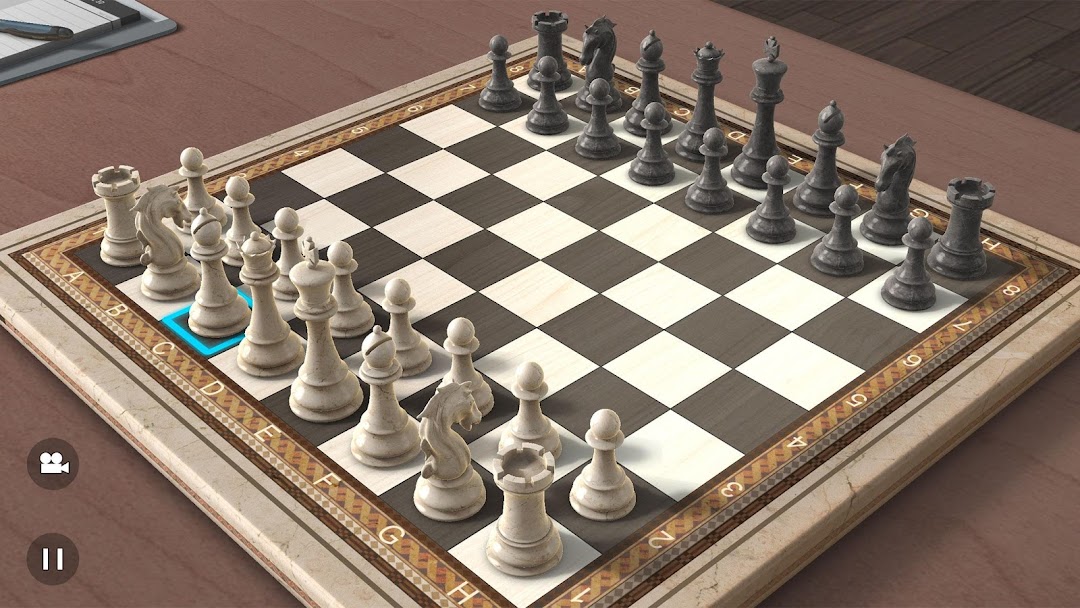
Real Chess 3D is a Board application developed by EivaaGames, but with the best Android emulator-LDPlayer, you can download and play Real Chess 3D on your computer.
Running Real Chess 3D on your computer allows you to browse clearly on a large screen, and controlling the application with a mouse and keyboard is much faster than using touchscreen, all while never having to worry about device battery issues.
With multi-instance and synchronization features, you can even run multiple applications and accounts on your PC.
And file sharing makes sharing images, videos, and files incredibly easy.
Download Real Chess 3D and run it on your PC. Enjoy the large screen and high-definition quality on your PC!
The best 3D Chess game is here! Play Chess in immersive 3D graphics.Challenge your friends to matches or play against the AI players in the best chess game.
Real Chess 3D is one of the most realistic and enjoyable chess games available on mobile.
Customize the look and feel of your game by choosing the chess board, checkers, piece type, table. It's like you are actually playing chess in real because of the realistic 3d graphics.
Tap on a piece to choose it and then tap on the desired target position to make your move.
FEATURES:
● Play against the AI with 4 difficulty levels.
● Play against another human opponent.
● Customize the look and feel of the board.
● Relaxing music.
So what are you waiting for? Download now for Free!
---------------------------
Get the latest news, deals, and more at:
FACEBOOK: https://facebook.com/eivaagames
TWITTER: https://twitter.com/eivaagames
YOUTUBE: https://youtube.com/eivaagames
Find out more about EivaaGames:
https://www.eivaagames.com