Red Remover Physics PlayerPack is a Puzzle application developed by stickmanRagdollGames, but with the best Android emulator-LDPlayer, you can download and play Red Remover Physics PlayerPack on your computer.
Running Red Remover Physics PlayerPack on your computer allows you to browse clearly on a large screen, and controlling the application with a mouse and keyboard is much faster than using touchscreen, all while never having to worry about device battery issues.
With multi-instance and synchronization features, you can even run multiple applications and accounts on your PC.
And file sharing makes sharing images, videos, and files incredibly easy.
Download Red Remover Physics PlayerPack and run it on your PC. Enjoy the large screen and high-definition quality on your PC!
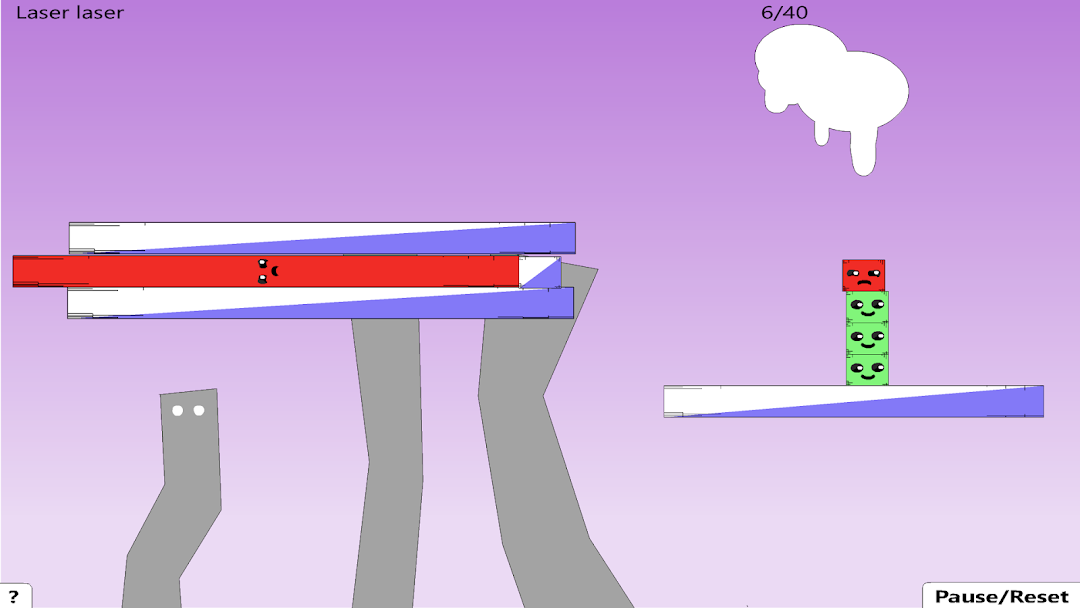
Red Remover is a puzzle game that was popular on the internet a few years ago. In the game, the player's goal is to remove all of the red shapes from the screen by clicking on them. However, the player must be careful not to remove any green shapes, as these are needed to support the red shapes and keep them from falling off the screen. The game has simple graphics and gameplay, but it can be challenging as the levels progress and the player is required to remove more and more shapes while keeping the green shapes in place. Red Remover was known for its addictive gameplay and simple, yet challenging, puzzle mechanics.Red Remover is a physics-based puzzle game where the goal is to remove all the red shapes from the screen while keeping the green shapes on the screen.
In the game, players must use logic and strategy to figure out how to remove the red shapes without causing the green shapes to fall off the screen. It has simple, yet challenging gameplay and has become quite popular among puzzle game enthusiasts. Do you have any specific questions about the game?
Over 500,000 Red Remover levels have been created. It blows me away how creative some of them are. I hope you enjoy this collection of some of my favorites :)
Instructions
-Remove the red shapes.
-Keep the green shapes on the screen.
-There are 4 planes of gravity, look at the shapes faces to see which way they will fall.