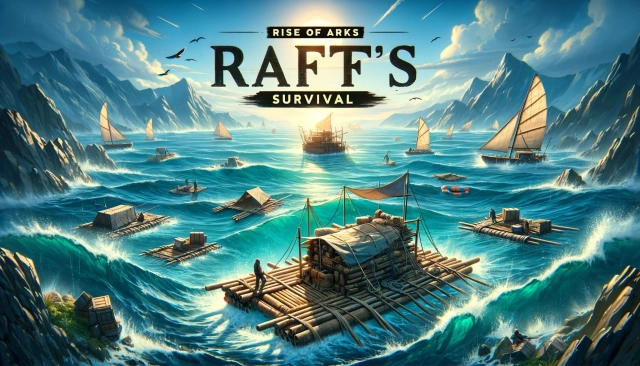
Rise of Arks: Survival Game is a Strategy game developed by Immersive Games HK, and LDPlayer is the best platform for playing Rise of Arks: Survival Game on Windows PC, offering powerful features for an immersive experience.
When playing Rise of Arks: Survival Game on your computer, you can enjoy long game sessions using the operation recording feature to record repetitive operations to complete the same tasks automatically. It allows you to level up faster and makes resource grinding much more efficient.
In addition, if you want to execute combo moves or the game requires repeated skill actions, the macro feature is your best helper. It enables you to complete kills with just one click!
If you want to manage multiple accounts, LDMultiplayer and Synchronizer will assist you. You can run multiple alternative accounts at the same time to assist the leveling of your main account. Download and play Rise of Arks: Survival Game on PC with LDPlayer now!
"Rise of Arks" is an exhilarating sea survival game set in a post-apocalyptic world. Following a catastrophic tsunami, humanity faces the ultimate test of survival. As the appointed commander, it falls upon you to navigate this apocalyptic landscape, filled with challenges and monstrous creatures, and lead your people towards safety and prosperity.- CONSTRUCT SEA SHELTERS
In the face of impending danger, strengthen your shelter and fortify your defenses. Upgrade buildings, train armies, and recruit heroes with unique abilities. It's crucial to create a resilient community that thrives amidst chaos and adversity.
- EXPLORE MYSTERIOUS
Venture into the unknown, collect vital resources, and rescue stranded survivors to bolster your haven. Discover hidden areas and unveil the secrets and treasures shrouded in the mist, enhancing your chances of survival in this enigmatic world.
- COMPETE FOR RESOURCES
Survival in this unforgiving environment demands resourcefulness and strategic acumen. Engage in fierce resource competitions in the vast ocean, utilizing your skills and cunning to secure essential supplies necessary for your community's survival.
- FORM ALLIANCES
Recognizing the strength in unity, forge alliances with like-minded survivors. Collaborate with others to overcome challenges, pooling your collective knowledge and resources to face the horrors of the apocalypse together.
- EPIC ARK BATTLES
Strategically assemble your team of heroes, upgrade your troops, and engage in thrilling battles against monstrous adversaries. These epic encounters yield valuable rewards, and your leadership can turn the tides of battle, earning you a revered place in the maritime realm.
"Rise of Arks" delivers a compelling gameplay experience, immersing you in a unique world where survival, camaraderie, and strategic prowess are paramount. Rebuild your community, survive against all odds, and carve out a lasting maritime legacy for generations to come!
Follow Us
Facebook: https://www.facebook.com/riseofarks
Discord: https://discord.gg/V62gh3k74d