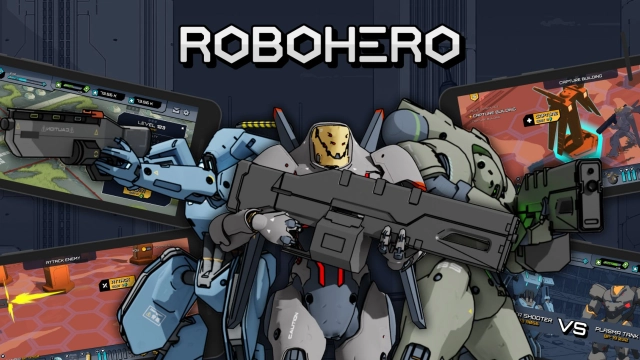
RoboHero Tactics is a Strategy game developed by RoboHero, and LDPlayer is the best platform for playing RoboHero Tactics on Windows PC, offering powerful features for an immersive experience.
When playing RoboHero Tactics on your computer, you can enjoy long game sessions using the operation recording feature to record repetitive operations to complete the same tasks automatically. It allows you to level up faster and makes resource grinding much more efficient.
In addition, if you want to execute combo moves or the game requires repeated skill actions, the macro feature is your best helper. It enables you to complete kills with just one click!
If you want to manage multiple accounts, LDMultiplayer and Synchronizer will assist you. You can run multiple alternative accounts at the same time to assist the leveling of your main account. Download and play RoboHero Tactics on PC with LDPlayer now!
RoboHero is a turn-based tactical strategy (TBS) game set in a doomed sci-fi future where three rival factions clash in a war-torn world. Take control of a powerful combat mech and lead it through intense battles where only superior tactics can secure victory.In this gritty, dystopian universe, remnants of humanity have entrusted the survival of their cause to robotic warriors. Choose your faction — Eter, Deuter, or Plasma — each harnessing unique technologies and philosophies of war. Then, select your class: Tank, Sniper, or Rifler, and prepare for tactical showdowns in battlefields ravaged by chaos and steel.
Whether you're a strategy veteran or new to TBS games, RoboHero offers rich combat mechanics and multiple game modes: competitive PvP, narrative-driven PvE missions, and limited-time events packed with high-stakes action.
UPGRADE YOUR HEROIC MECH
Your robot is your champion. Customize and evolve it with high-grade gear to unlock devastating abilities, enhance durability, and crush your enemies. Adapt and survive — or be left in the dust of this AAA-level battleground.
OUTSMART IN TURN-BASED COMBAT
Each move matters. Use terrain, elevation, range, and your robot’s unique skillset to outwit your enemies. Whether you strike from afar as a Sniper, absorb enemy fire as a Tank, or charge in with a Rifler — the choice is yours.
RISE IN THE RANKS
Compete in global PvP arenas powered by an ELO-based ranking system that rewards skill, not grind. Each victory boosts your standing, each defeat demands adaptation. Face off against opponents at your level and climb the ladder through tactical mastery.
Take on challenging PvE missions, dominate seasonal events, and earn your place among the elite commanders. Only the smartest tacticians will rise to the top — one battle at a time.
A world in doom. A machine of war. A test of tactical mastery.
This is RoboHero.
Are you ready to fight?